
HTTP Injector APK Download Latest V6.5.0 For Android 2026
Evozi Verified
Specifications
Table of contents
About this app
Let’s be honest dealing with annoying internet blocks, slow speed throttling, and privacy concerns on public Wi-Fi can get really frustrating. That is exactly why millions of Android users rely on HTTP Injector APK to take things into their own hands. It is not just another boring proxy app; it is a full-scale networking utility built for people who want absolute freedom and security over their mobile data without paying for expensive subscriptions.
What makes this app so popular worldwide is how much power it puts right into your pocket. Instead of locking you into a standard server, it lets you tweak headers, build custom routing setups, and connect securely on almost any network. Whether you are traveling and dealing with local firewall blocks or just trying to keep your personal data safe from snoops while sitting at a local coffee shop, this app gets the job done cleanly.

What Is HTTP Injector APK?
If you are wondering how this app actually works behind the scenes, think of it as a smart middleman between your phone and the internet. Normally, your phone sends raw web requests straight to your internet provider, which is how they track or restrict what you do online. When you use HTTP Injector, the app intercepts those outgoing requests, wraps them inside a custom HTTP payload, and tunnels them safely through a secure remote server.
To put it simply, it tricks the local network filters into letting your traffic flow through without restrictions. While it is doing that magic, it also encrypts every single data packet you send or receive and hides your real IP address completely. So, from the outside looking in, your network provider only sees safe, encrypted data, while you enjoy a smooth, private, and unrestricted connection.
Key Features and Core Functions of HTTP Injector APK
- Custom payload builder for easy request header modification
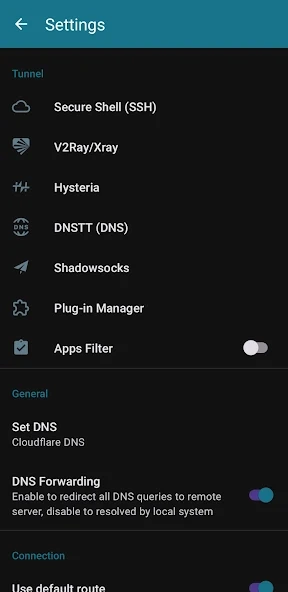
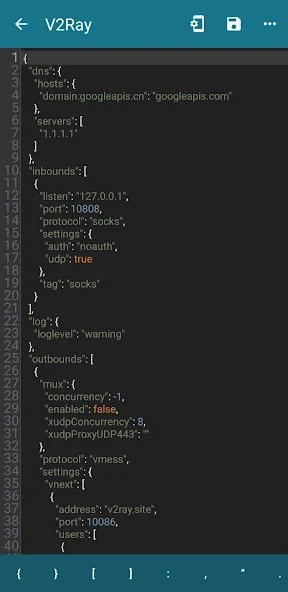
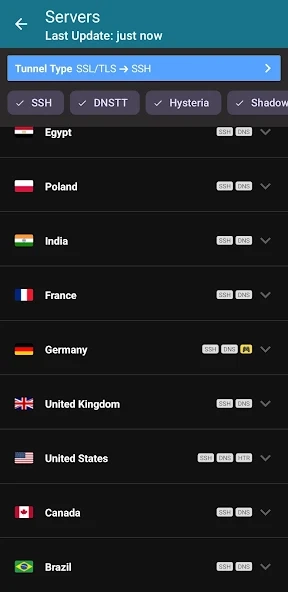
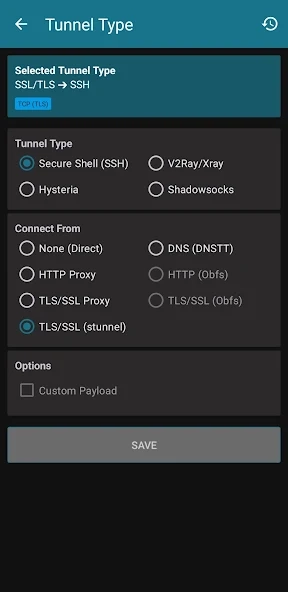
- Support for multiple tunneling protocols like SSH, UDP, Shadowsocks, and V2Ray
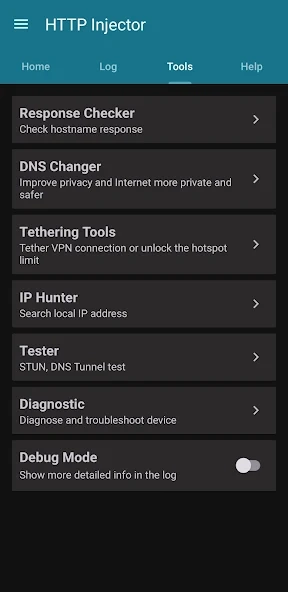
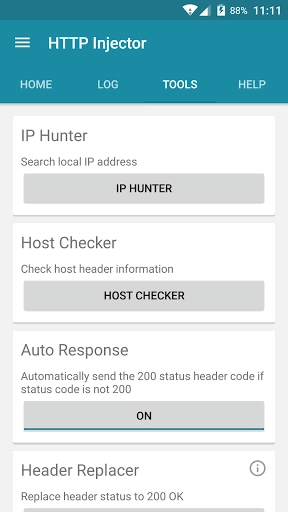
- Built-in host checker to quickly test bug hosts and proxy servers
- Smart IP hunting tools to find working local network IP subnets
- Fast data compression to reduce bandwidth usage and boost speed
- Advanced traffic encryption to secure your online privacy on public Wi-Fi
- Seamless performance on both rooted and non-rooted Android devices
- Built-in speed test tool for live connection diagnostics
- Custom DNS server changing options (Google DNS, Cloudflare DNS, and custom)
- One-tap
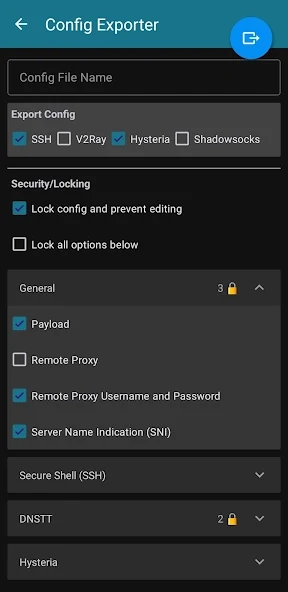
.ehiconfig file importing and exporting with password protection
Understanding SSH Tunneling and Secure Connections
Think of SSH (Secure Shell) tunneling as a private, invisible highway built strictly for your internet traffic. Whenever you connect to the web using HTTP Injector, the app creates a protected line between your Android phone and a remote server. Instead of sending your raw data out in the open, every single website request, message, or file you send gets locked inside an encrypted container before it even leaves your device.
This heavy-duty encryption makes it virtually impossible for outside eyes like local internet providers, school or office network managers, or hackers on open Wi-Fi to snoop on what you are doing online. By masking your actual location and keeping your browsing activity completely unreadable, SSH tunneling guarantees that your online privacy stays fully protected wherever you connect.
HTTP Proxy, Payload, and Connection Configuration
Getting a smooth connection with HTTP Injector comes down to three core pieces working together: the Payload, the Remote Proxy, and your Server account details. The payload is basically a customized set of instructions that tells the proxy server how to tweak and handle your internet request. It is the secret sauce that helps your device bypass local network filters without getting blocked.
When you match a well-written payload with a stable remote proxy IP address, the system works like a charm. It tricks strict firewall rules into treating your connection like standard, unrestricted web traffic. This setup allows your mobile data to pass through cleanly, giving you smooth speeds even on heavily restricted networks.
Importing and Managing Injector Configuration Files
Setting up everything manually can feel a bit overwhelming if you are new to networking terms, which is why config files are a total lifesaver. HTTP Injector allows users to share and import pre-built configuration files. Experienced developers and tech communities create these files in advance with working proxies, optimized payloads, and active server settings already built-in.
Instead of spending hours tweaking complex settings yourself, all you need to do is download a working configuration file and tap import inside the app. Within seconds, your app is fully configured and ready to connect with just one click, making the whole process quick, effortless, and beginner-friendly.
How to Configure HTTP Injector APK on Android
- Download and open HTTP Injector on your Android device
- Enter your custom payload in the Payload field or use the generator
- Input a working Remote Proxy IP address and Port
- Go to SSH Settings and enter your SSH Host, Port, Username, and Password
- Enable DNS Forwarding on the main screen
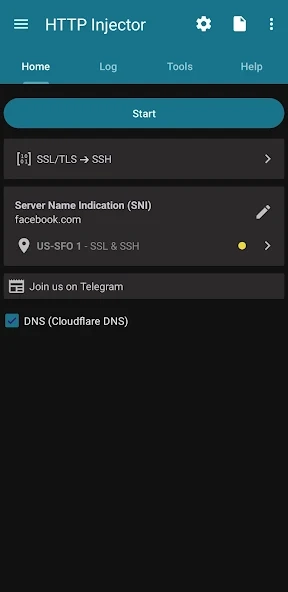
- Tap the Start button to establish the encrypted tunnel connection
Connection Settings and Network Compatibility
HTTP Injector is built to handle almost any mobile or wireless data environment seamlessly. Whether you are using standard 3G, high-speed 4G LTE, modern 5G networks, or home Wi-Fi setups, the app adjusts its data packet routing to match your active connection band. This broad compatibility ensures that your tunnel stays stable even when your smartphone automatically switches towers or transitions between different network modes on the go.
Beyond basic signal handling, the app packs advanced network management options to keep your connection running without interruptions. You can easily switch to fast custom DNS providers like Google DNS or Cloudflare DNS, which speeds up domain lookups and prevents DNS leaks from your local service provider. It also features built-in IP hunting tools that help you search for specific, open IP ranges provided by your local mobile carrier.
To make sure your session doesn’t suddenly cut off in the background, the app includes an integrated CPU wakelock feature. This keeps the tunneling service active in Android’s background system, preventing the OS from putting the process to sleep during long downloading sessions, video streaming, or low-latency online gaming.
User Interface and Configuration Management
The dashboard of HTTP Injector strikes a great balance between deep technical functionality and user-friendly design. When you open the app, you are greeted with a clean home screen that shows real-time status logs, live upload and download bandwidth speeds, and a prominent one-tap start button. This makes it super easy for beginners to connect instantly while giving advanced users clear visibility into their active proxy session.
Navigating through the settings menu is equally smooth, allowing you to tweak individual protocol options without getting lost in complicated sub-menus. Everything from payload generation to server selection is logically organized, ensuring that you can quickly check your logs, diagnose connection errors, or test your network response times directly from the main interface.
For users who create and share custom configurations, the app offers robust protection tools for config management. File creators can lock their custom settings with secure passwords, add auto-expiry dates, or hide raw payload scripts completely. This allows developers to share working connection profiles across online communities safely, protecting their private server credentials while giving end-users a hassle-free connection experience.
Benefits and Limitations of Using HTTP Injector APK
Benefits:
- Full control over custom HTTP headers, proxy routing, and request settings
- Strong online privacy with real IP address masking and traffic encryption
- Simple one-tap import and export of custom configuration files
- Reduced network latency and ping when connected to optimized UDP or V2Ray servers
- Smooth compatibility across all mobile data networks (3G, 4G, 5G) and Wi-Fi
- Built-in utility tools like host checker, speed tester, and DNS changer
Limitations:
- Requires basic technical knowledge if you want to create manual setups from scratch
- Pre-built configuration files can expire over time and require fresh updates or new server details
- Free SSH servers can sometimes get crowded, causing temporary speed drops during peak hours
- Battery consumption can be slightly higher when running background tunneling services for long periods
- Some strict mobile network carriers periodically block specific proxy host IPs and payload ports
Security, Privacy, and Safe Usage Considerations
While HTTP Injector itself is a clean, reliable, and secure network utility, your overall online safety depends heavily on where you get your configuration files and remote SSH servers. If you import settings files from unknown or shady sources on the web, you might accidentally route your personal data through unverified third-party proxies. To maintain rock-solid privacy, always make sure you build your own connection setups or only use custom config files provided by well-known, trusted tech communities.
Another crucial safety step is ensuring that the app file itself has not been modified or tampered with by malicious coders. Downloading verified APK packages directly from trusted platforms like apksbrain.com guarantees that you get the official, unedited installation file. By combining safe file downloads with reliable server credentials, you can enjoy fast, unrestricted web access while keeping your sensitive personal data completely protected from online threats.
Final Verdict
When it comes to advanced mobile network control, data encryption, and custom tunneling options, HTTP Injector APK continues to stand out as an indispensable application for Android users worldwide. Its versatile multi-protocol support, powerful request header customization, and active global user base solidify its spot as a top-tier network utility in 2026. Whether you need to bypass strict network firewalls or secure your personal device on open Wi-Fi hotspots, it gives you the exact tools required to stay in total control.
If you are looking for a customizable, high-performance, and reliable VPN and proxy client that puts privacy first, HTTP Injector is definitely worth installing on your device. It bridges the gap between complex network engineering and easy everyday use, giving you smooth, secure, and fully unrestricted mobile internet access whenever you need it.
FAQs
Is HTTP Injector APK completely free to use?
Yes, the application is completely free to download and use on Android. You just need active server account details or proxy settings to connect.
Can I use HTTP Injector APK without rooting my phone?
Yes, it works smoothly on non-rooted devices using Android’s native system features to establish secure network connections.
Why does HTTP Injector fail to connect or keep disconnecting?
Disconnects happen when your server account expires or proxy settings get blocked. Updating your configuration file or changing server details fixes the issue.
Is using HTTP Injector APK safe for my personal data?
Yes, the app encrypts your internet traffic safely. Always import configuration files from trusted sources to keep your information secure.
Does HTTP Injector improve internet speed and reduce ping?
It can lower latency by routing traffic through fast servers, though overall speed still depends on your local mobile network signal.
Mod features
Extras included in this package.
- Premium Features Unlocked
- Ad-Free VPN Experience
- SSH Tunnel Configuration
- V2Ray and VMess Support
- Custom Payload Support
- Secure VPN Connection
- Multiple Connection Modes
- Custom DNS Configuration
- Import and Export Configuration Files
- Advanced Network Settings
- Proxy and Tunneling Support
- User-Friendly Interface