

Reface
NEOCORTEXT, INC. Verified

Specifications
Table of contents
About this app
Have you ever wondered how your face would look in a movie scene, a funny video, or a completely different hairstyle? Reface makes these creative edits possible through artificial intelligence. The app allows users to transform ordinary photos into entertaining face swaps, animated videos, AI-generated portraits, and other visual creations.
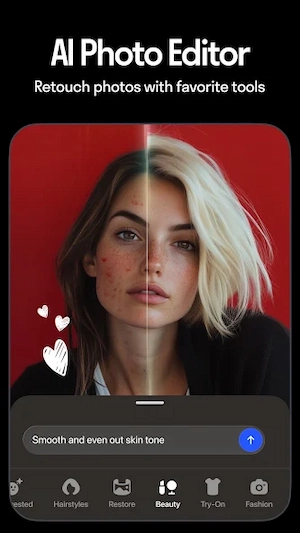
Reface is more than a basic face-swapping tool. Its current feature collection also includes AI photo editing, hairstyle previews, face animation, and creative filters. Users can choose an effect, upload a suitable picture, and let the app process the image. The results can be saved or shared, depending on the available features and subscription access.
What Is Reface APK?
Reface is an AI-powered photo and video editing application developed by NEOCORTEXT, INC. It is designed for people who want to experiment with their pictures without needing professional editing skills. One of its main functions is face swapping, which places a selected face into prepared images or video templates.
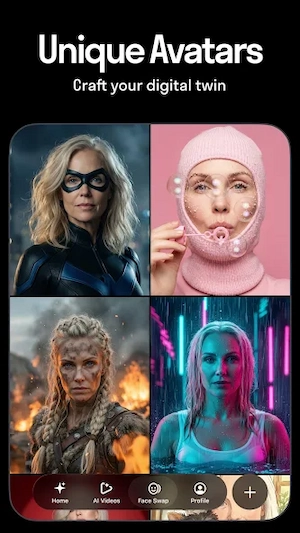
The app also includes tools for creating AI avatars, changing hairstyles, animating portraits, and applying different visual effects. For example, someone can use a selfie to create a character-style portrait or preview how a different haircut might look. The available tools and results depend on the selected feature, image quality, and app version.
Reface APK Features
AI Face Swap
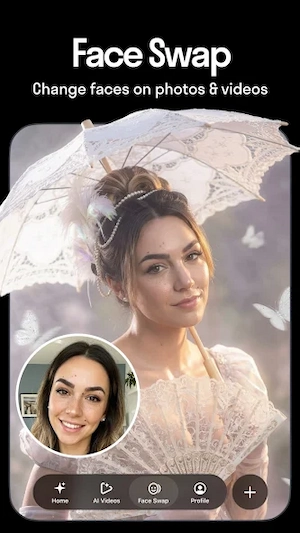
Face swapping is one of Reface’s main attractions. Users can select a picture or video template and add a face from their own photo. The AI processes the image to make the replacement fit the selected scene. The result can be used for light-hearted edits, memes, and personal entertainment.
AI Photo and Avatar Generator
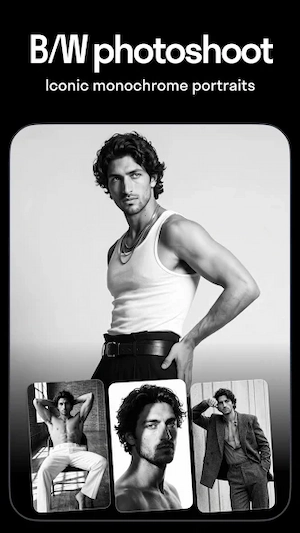
The AI photo tools allow users to turn ordinary pictures into different artistic styles. Depending on the available effect, a portrait can take on a character-inspired appearance or a themed visual look. These options are useful when creating profile pictures, social media posts, or creative images.
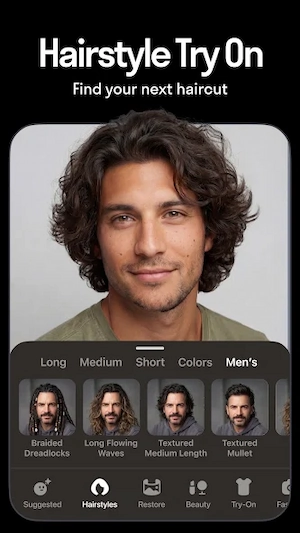
Hairstyle and Hair Colour Preview
Reface also includes hairstyle tools. Users can explore different haircuts, lengths, and colours using a photograph. This can help someone compare possible looks before visiting a hair salon. However, an AI preview is only a visual suggestion; the actual result may look different in real life.
Animated Photos and AI Singing
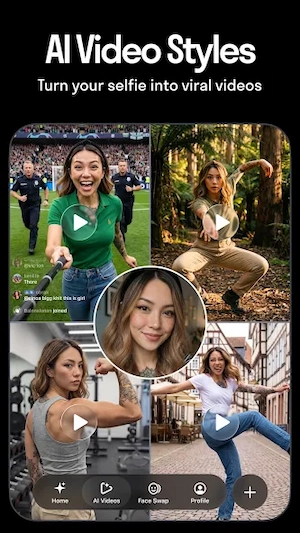
Some Reface tools can animate a still portrait and create a singing-style video. The app uses facial animation and lip-sync effects to make a photograph appear to move with selected audio. These clips can be entertaining to share with friends, although the final animation may vary depending on the source image.
Creative Filters and Face Effects
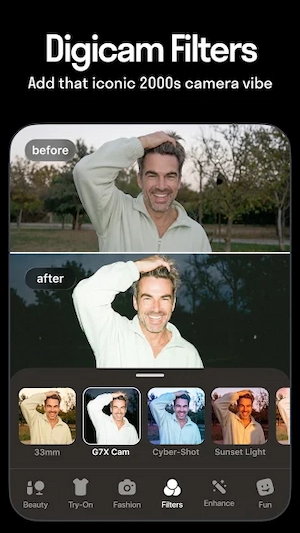
The app includes additional effects for changing the appearance of photos. Options may include age transformations, gender-related effects, face morphing, and themed filters. These tools are intended for creative editing rather than producing an accurate representation of someone’s real appearance.
Sharing Edited Content
After creating an edit, users can save or share their results using the available options. This makes it easier to send a funny face swap to friends or publish an AI-generated image on a social platform. Before sharing an edited picture of another person, it is important to consider their permission and privacy.
Reface APK Download & Installation
- Open the Google Play Store on your Android device.
- Search for Reface: Face Swap AI Generator.
- Check the developer name before selecting the application.
- Tap the Install button and wait for the download to finish.
- Open Reface after installation.
- Review the requested permissions and choose the settings you are comfortable with.
How to Use Reface APK?
Getting started with Reface is straightforward. After opening the app, explore the available editing categories and select the tool that matches the result you want to create. For a face swap, choose a suitable template and provide a clear photograph when prompted.
For hairstyle previews or AI portraits, select the relevant feature and upload an appropriate image. Follow the on-screen instructions while the app processes your request. Once the result appears, review it before saving or sharing. A front-facing photograph with good lighting generally makes it easier for image-editing tools to identify facial details.
Some tools or effects may require a subscription or in-app purchase. Check the price, billing period, and renewal conditions before confirming a payment. You should also review the app’s permissions and privacy information before uploading personal photographs.
FAQs
What is Reface APK used for?
Reface is an AI-powered photo and video editing app. It allows users to create face swaps, animated portraits, AI-generated images, and other creative edits using their photographs.
Can I swap faces in videos with Reface?
Yes, Reface includes face-swapping tools for supported video templates. Users can select a template, add a suitable face photo, and let the app process the result.
Is Reface APK free to download?
Reface can be downloaded through its official Android listing. However, some editing tools and additional features may require a subscription or in-app purchase.
Does Reface require an internet connection?
Many AI-powered editing features require an internet connection for processing. Availability may depend on the selected tool and the current app version.
Is Reface safe to use on Android devices?
Download Reface from its official Google Play listing and review the requested permissions and privacy policy. Avoid unofficial modified APK files from unknown sources.
Conclusion
Reface brings face swapping, AI portraits, animated photos, and hairstyle previews together in one creative editing app. Its different tools give users several ways to experiment with personal photographs, create entertaining clips, and prepare images for social media. The experience depends on the selected effect, the quality of the uploaded picture, and the features available in the current version.
Before using the app regularly, review its subscription options and privacy information, particularly if you plan to upload personal or family photographs. For a reliable installation, use the official Google Play listing and check that the developer is NEOCORTEXT, INC. APKsbrain
