

SwitchBot
SWITCHBOT INC Verified
Specifications
Table of contents
About this app
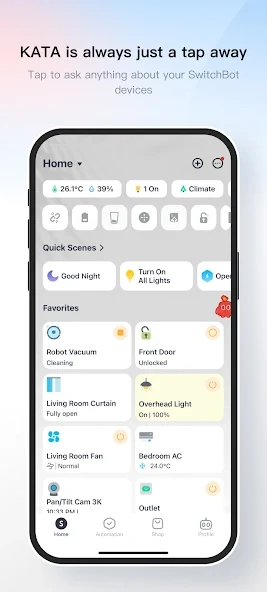
SwitchBot is a smart home application that connects compatible home automation products and allows users to manage them through a smartphone. Developed by SWITCHBOT INC, the app works with devices such as SwitchBot Bot, Hub Mini, Thermometer and Hygrometer products, and other supported smart home equipment. Instead of operating every connected product separately, users can access available controls, monitor device information, and configure automation from one application.
The interesting part of the SwitchBot ecosystem is that it can add smart control to certain existing household appliances and switches. For example, SwitchBot Bot can physically press a compatible button, while a Hub Mini can help users control supported infrared appliances and access selected functions remotely. The application also includes scheduling, smart scenes, and the KATA AI Assistant. However, the features available depend on the hardware connected to the account. It is therefore important to understand the relationship between the app, individual devices, and the hub before setting up a smart home system.
What Is SwitchBot?
SwitchBot is a companion application for managing products in the SwitchBot smart home ecosystem. It provides a central interface for adding devices, viewing their status, changing available settings, and controlling supported equipment. The application is available for Android and iOS, while the actual smart home functions require compatible SwitchBot hardware. Downloading the app by itself does not provide physical appliance control.
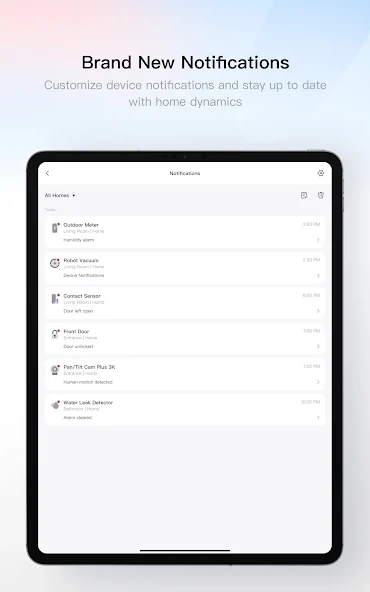
Getting started involves installing the application, creating or signing in to a SwitchBot account, and adding compatible devices. Users can generally select the plus (+) icon, choose the device they want to add, and follow the on-screen pairing instructions. Depending on the product, the connection may use Bluetooth, Wi-Fi, or a SwitchBot Hub. Once pairing is complete, the device appears in the app and its supported controls become available.
The connection method determines what users can do. A Bluetooth device can generally be controlled when the phone is within its Bluetooth range. To control certain Bluetooth products while away from home, users need a compatible SwitchBot Hub connected to the internet and positioned within Bluetooth range of the device. The Hub communicates with the device locally and relays supported commands through SwitchBot’s cloud service.
This distinction is important when choosing products. A user who only wants to operate a nearby SwitchBot Bot may not need the same setup as someone who wants remote access while travelling. Checking each product’s connection requirements before purchasing additional hardware can prevent unexpected limitations.
Key Features and Benefits of SwitchBot Smart Home App
SwitchBot Bot Control
SwitchBot Bot is a small mechanical device designed to press compatible physical buttons and switches. After adding it to the application, users can send commands to operate the Bot instead of pressing the physical switch themselves. This can be useful for certain lights, appliances, and other equipment with compatible button designs. The Bot must be installed correctly, and not every switch or button is suitable for its mechanical operation.
Smart Appliance Scheduling
Scheduling allows users to arrange supported appliance actions for specific times. For example, a compatible appliance connected through a SwitchBot Hub Mini can be configured to turn on or off according to a chosen schedule. This is useful for recurring household routines, such as operating a compatible device at a particular time each morning. Scheduling options depend on the product and its connection requirements.
Temperature and Humidity Monitoring
With compatible SwitchBot Thermometer and Hygrometer products, the app can display information about the surrounding environment. Users can check temperature and humidity readings in rooms such as bedrooms, offices, and storage areas. Supported models may also provide historical information, helping users understand how indoor conditions change over time. The available measurements and reporting functions vary between models.
Smart Scenes and Automation
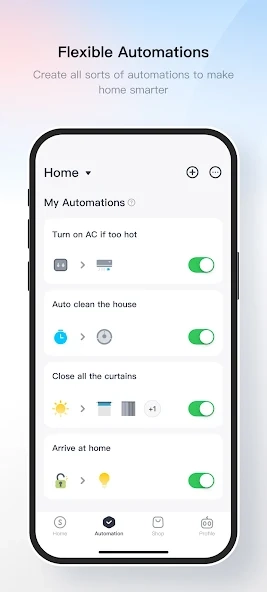
Smart scenes allow users to group supported actions into a single operation. Instead of opening several device controls individually, a user can activate a saved scene to perform the configured actions. Automation goes a step further by allowing supported actions to run when selected conditions are met. For example, a compatible sensor may be used as a trigger for an automation involving another supported device. Available conditions and actions depend on the connected products.
Remote Device Management
Remote control is useful when users want to operate compatible devices without being physically near them. For supported Bluetooth products, a SwitchBot Hub Mini or another compatible Hub-series product may be required. The hub communicates with nearby devices over Bluetooth and connects to the internet through Wi-Fi. This arrangement allows supported commands to reach devices when the user is away from home. It does not mean every SwitchBot product can be controlled remotely without additional hardware.
Wear OS Quick Controls
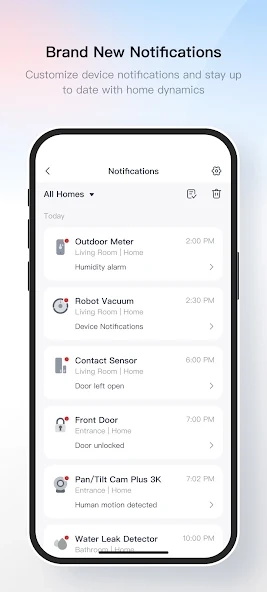
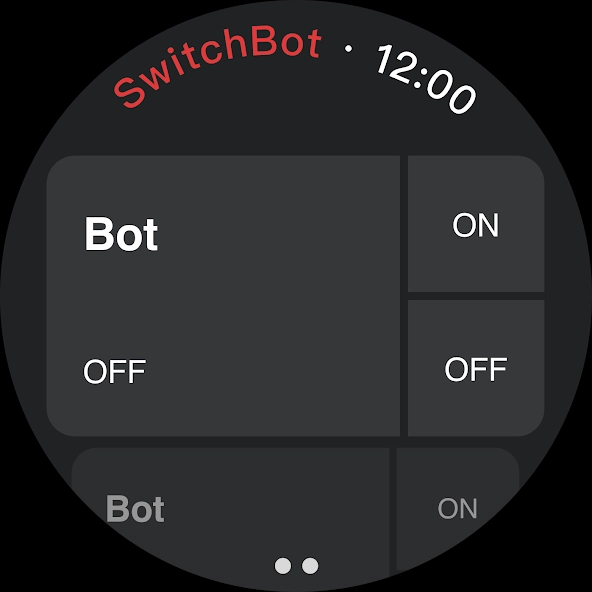
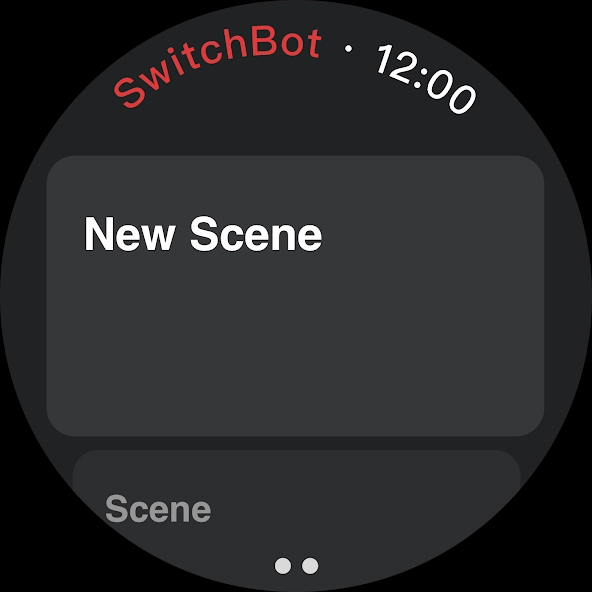
SwitchBot also supports selected controls through Wear OS smartwatches. According to its Google Play listing, users can monitor supported device statuses, access controls through smartwatch tiles, and trigger smart scenes using Wi-Fi or cellular data. This can be convenient when a phone is not immediately available. The available controls still depend on the connected devices and the smartwatch setup.
Supported SwitchBot Devices, Smart Home Products, and Compatibility
The SwitchBot application supports a range of products developed for different home automation tasks. These include the SwitchBot Bot, Hub Mini, Hub 2, Thermometer and Hygrometer products, sensors, locks, curtains, blinds, and other compatible devices. The application acts as a central control point, but individual products have their own setup instructions and technical requirements.
The SwitchBot Bot is intended for operating compatible physical buttons and switches. Hub Mini and other supported hubs connect compatible products to the network and enable selected remote-control and automation functions. Thermometer and Hygrometer devices are used to monitor indoor conditions, while products such as SwitchBot Curtain and Blind Tilt are designed for controlling compatible window coverings. Users should check the official compatibility information for each product before combining devices in a routine.
Android Compatibility and Permissions
Android compatibility should be checked against the current Google Play listing and the requirements of the individual product. SwitchBot’s support documentation also explains that Bluetooth discovery and connection can require system permissions. Permission behaviour varies by Android version. For example, older Android versions may require location permission for Bluetooth-related functions, while newer versions handle Bluetooth permissions differently.
Users should allow the permissions needed for the functions they intend to use and review them in their phone settings. Some device setup processes may also require Bluetooth, Wi-Fi, notifications, or location-related access. These requirements should not be confused with a guarantee that the application continuously tracks a user’s physical location.
Account and Internet Requirements
Users generally need a SwitchBot account to add and manage products through the application. Bluetooth-based functions may work locally when the phone is within range of a compatible device. Cloud-based remote control requires an internet connection and the appropriate hardware configuration. A Hub Mini also needs a supported Wi-Fi connection; SwitchBot’s setup instructions specify a 2.4 GHz Wi-Fi network rather than a standard 5 GHz-only connection.
Privacy and Security Considerations
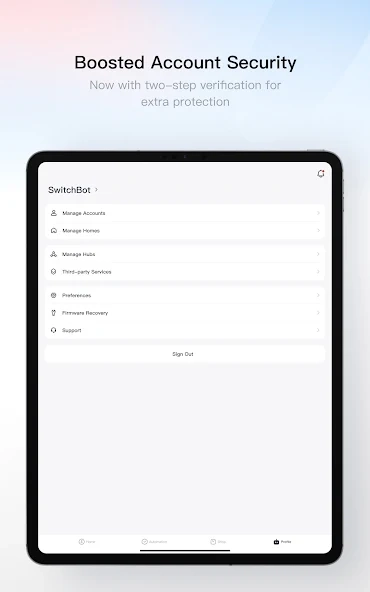
The Google Play data safety section is an important place to review the developer’s disclosures about information collected by the app. The listing states that data is encrypted in transit and that users can request deletion of their data. It also identifies categories that may include personal information and photos and videos. These disclosures can change, so readers should check the live listing before installing the application.
KATA AI Assistant has additional privacy considerations. Its privacy policy explains that information submitted through text, voice, or images, together with relevant device information and instructions, may be transmitted to third-party service providers for processing. The policy also states that original submitted inputs are not retained by the company or its service providers after processing, while generated responses, device operation results, and related service records may be stored on SwitchBot’s cloud servers. Users should read the policy and decide whether they are comfortable sharing this information before using the assistant.
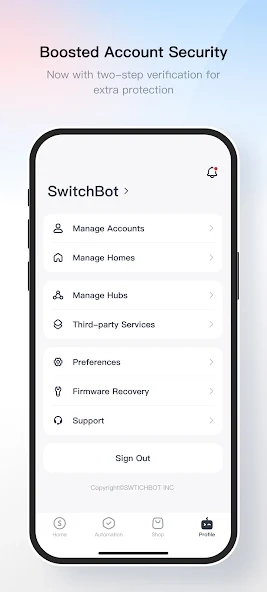
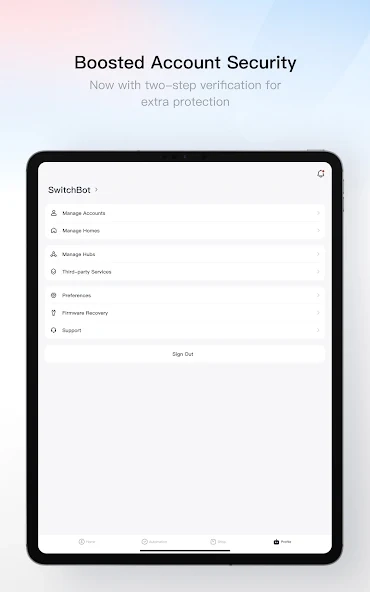
For general account protection, users should use a strong, unique password and keep their application and device firmware updated. They should also avoid sharing account credentials or uploading other people’s private information to AI features without permission.
Smart Automation, Remote Control, and KATA AI Assistant Features
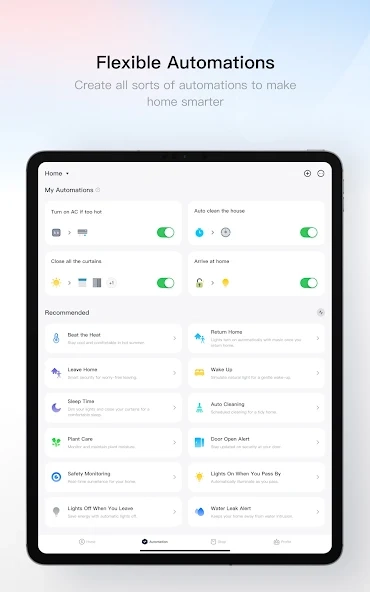
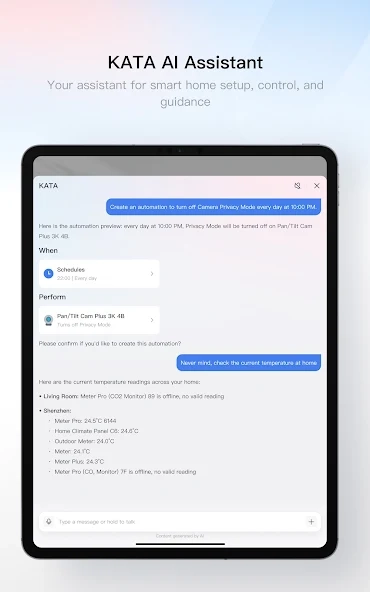
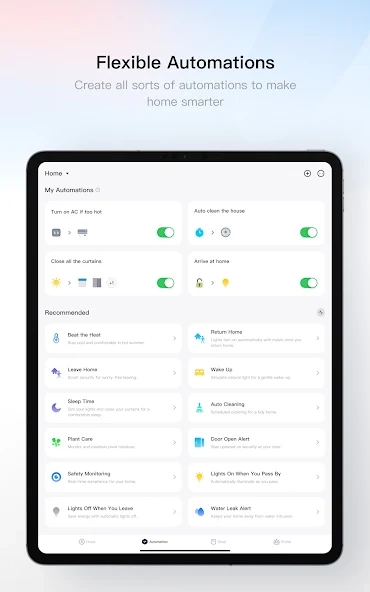
Automation is one of the main reasons people use the SwitchBot ecosystem. It allows compatible devices to perform selected actions based on a schedule or a supported condition. Users can create an automation in the app by opening the automation area, adding a new rule, choosing the available trigger under the “When” section, and selecting the action under “Then.” After naming and saving the rule, the application can run it when the configured conditions are met.
A practical example would be using a compatible sensor as a trigger for another connected device. A user might configure an action based on movement detected by a supported motion sensor. The exact options depend on the devices in the account, their firmware, and the automation features supported by the application. Not every product can act as every type of trigger or action.
Remote control works differently from direct Bluetooth operation. When a supported Bluetooth device is connected to a compatible SwitchBot Hub, the hub can communicate with it locally while connecting to SwitchBot’s cloud service through Wi-Fi. A user can then send supported commands through the application using an internet connection. The hub must be within Bluetooth range of the device, and both the hub and the target device need to be correctly configured.
KATA AI Assistant
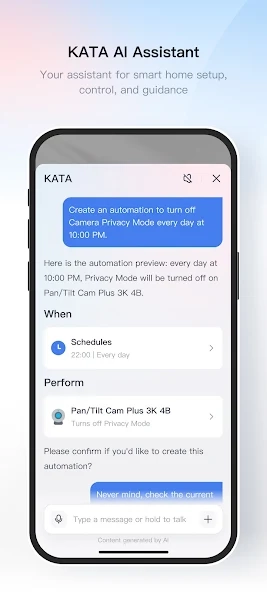
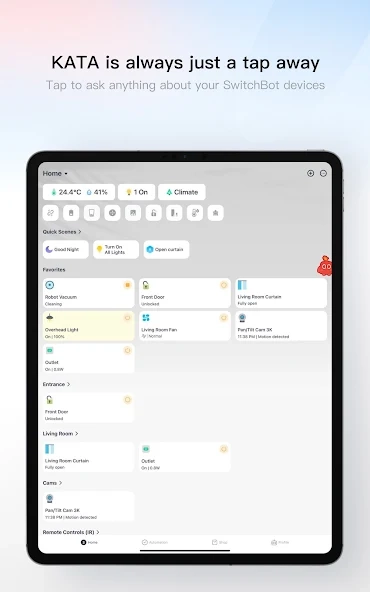
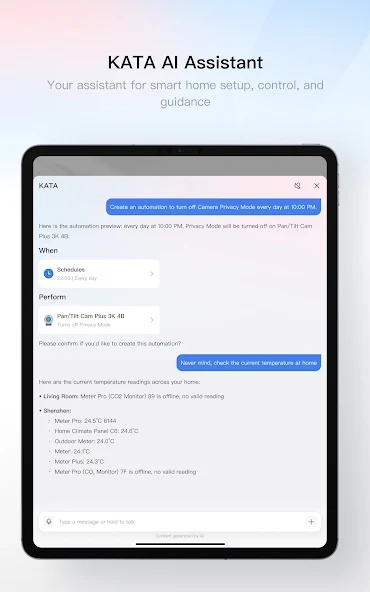
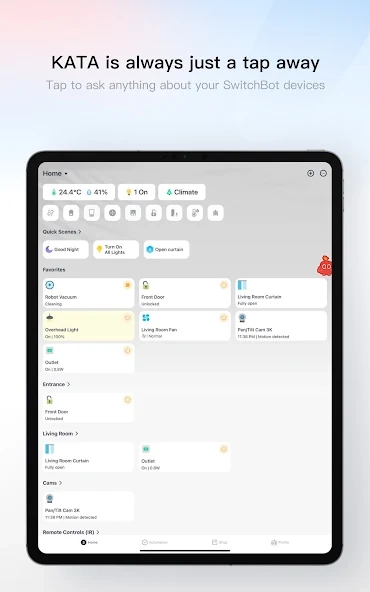
KATA is SwitchBot’s conversational AI assistant. It is designed to help users interact with supported smart home products using natural-language requests. According to SwitchBot’s help documentation, KATA can assist with device control, checking device status, creating scenes and automations, and providing guidance when users encounter certain issues.
For example, a user may ask KATA to check the status of a compatible device or help create a scene. If the request is unclear or several devices could match it, the assistant may ask for more details before proceeding. SwitchBot also explains that Bluetooth devices generally need to be connected to a hub before they can be controlled through KATA. Network problems or offline devices can prevent the assistant from completing an operation.
KATA is a support tool rather than a guarantee that every smart home problem will be detected or fixed automatically. Its responses and instructions are AI-generated and may be inaccurate or incomplete. Users should verify important device operations through the app or the physical device, especially when an action could affect household safety.
Privacy is another important consideration. Before using KATA, users must review and accept the relevant privacy policy. SwitchBot explains that submitted text, voice, and images may be processed by third-party service providers to generate responses and handle device-control requests. The company also states that generated responses and related service records may be stored on its cloud servers. Users who do not want to use the assistant can manage its availability through the app’s settings, where supported by their app version.
Advantages and Limitations of SwitchBot
Advantages
- Brings compatible SwitchBot products together in one application.
- Supports physical switch control through SwitchBot Bot.
- Provides scheduling and automation options for supported devices.
- Allows environmental monitoring with compatible sensors.
- Offers remote access when the required hub and internet connection are available.
- Includes selected Wear OS controls and the KATA AI Assistant.
Limitations
- Most smart home functions require compatible SwitchBot hardware.
- Certain remote-control features require a Hub-series product.
- Bluetooth control depends on connection range and device availability.
- Some features vary by product, firmware, app version, and region.
- Internet access is necessary for cloud-based remote functions.
- Users should review privacy information before enabling AI assistant features.
FAQs
What is the SwitchBot app used for?
The SwitchBot app is used to control compatible smart home devices from a smartphone. It allows users to manage connected products, monitor supported sensors, create schedules, and organise home automation activities.
Can I control SwitchBot devices remotely?
Yes, compatible SwitchBot devices can be controlled remotely through the app when connected to a suitable SwitchBot Hub and an active internet connection. Remote access depends on the device and its setup requirements.
Does SwitchBot support smart home automation?
Yes, the SwitchBot app supports automation features such as schedules, scenes, and device-based actions. Users can configure compatible devices to perform certain tasks automatically according to their selected settings and conditions.
Do I need a SwitchBot Hub to use the app?
No, a Hub is not required for every feature. Some SwitchBot devices can connect directly to a phone through Bluetooth. However, a compatible Hub is needed for certain remote-control functions and internet-based features.
Is the SwitchBot app available on Google Play?
Yes, the SwitchBot app is available on the Google Play Store for compatible Android devices. Users can search for SwitchBot, check the developer information, and install the official app directly from Google Play.
Conclusion
SwitchBot is a useful smart home control platform for people who own or plan to use compatible products from its ecosystem. Its combination of physical switch control, appliance scheduling, environmental monitoring, smart scenes, and remote access covers several practical household tasks. The KATA AI Assistant adds a conversational way to manage supported devices and get setup guidance, while Wear OS support provides selected controls from compatible smartwatches.
The main consideration is hardware compatibility. Some products work directly with Bluetooth, while remote control and particular automation functions require a compatible hub and an internet connection. Users should also check device-specific requirements and understand the information processed by the app, especially when enabling AI services.
For a new buyer, the sensible approach is to identify the required functions first, check which products support them, and confirm whether a hub is necessary before investing in the ecosystem. At APKsbrain, we always recommend verifying official Google Play listings, hardware compatibility, and app privacy policies before setting up any smart home software.
