

Meta Platforms, Inc. Verified
Specifications
Table of contents
About this app
Facebook has become a familiar part of how people communicate, share information, and discover content online. Through its mobile app, users can connect with friends, follow businesses and public figures, join interest-based communities, and watch videos from creators around the world.
The platform serves different purposes depending on the person using it. Someone might open Facebook to see family updates, while another user may use it to promote a business, explore Marketplace, or participate in professional and hobby-related Groups. Its combination of social networking, entertainment, and communication tools makes it more than a place for sharing personal posts.
What Is Facebook and How Does It Work?
Facebook is a social networking platform developed by Meta Platforms, Inc. It allows people to create personal profiles, connect with others, publish content, and interact with communities. The service can be accessed through a web browser or its mobile application.
Users generally begin by creating an account and setting up a personal profile. They can then add friends, follow Pages, join Groups, and share photographs, videos, links, and written updates. Other people can respond through reactions, comments, and shares, depending on the privacy settings of each post.
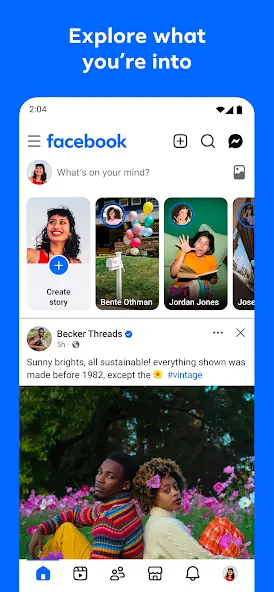
The main Feed displays content from different sources, including friends, Pages, Groups, and recommended accounts. Facebook uses activity and interaction signals to organise much of this content. This means two users may see different posts even if they follow some of the same people.
The platform also includes separate areas for video discovery, online communities, shopping, and private communication. The available tools and layout can vary according to account, device, and location.
Facebook App Screenshots
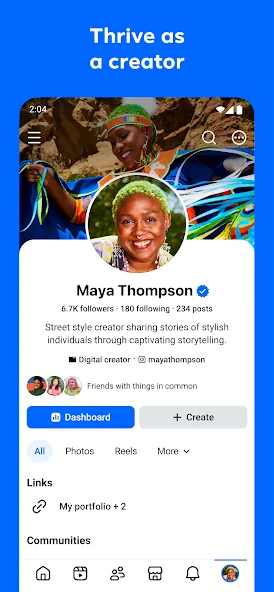
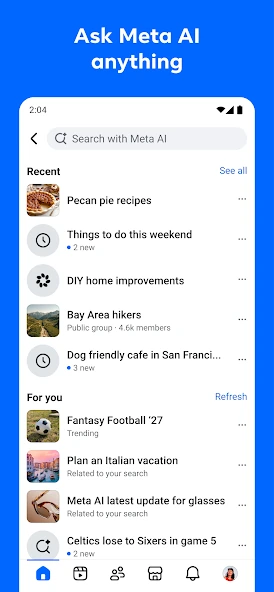
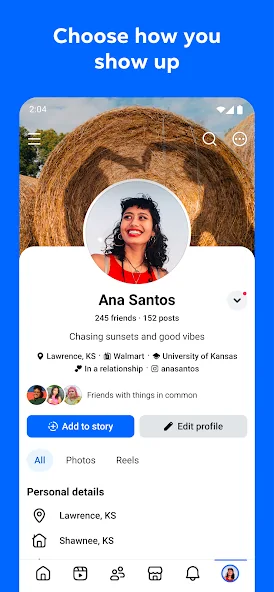
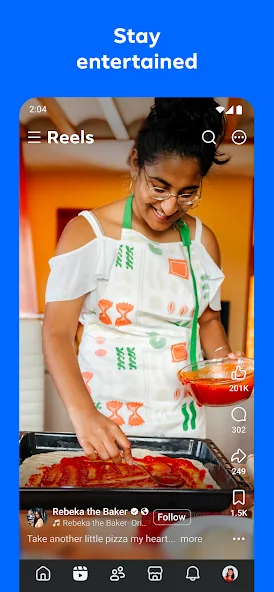
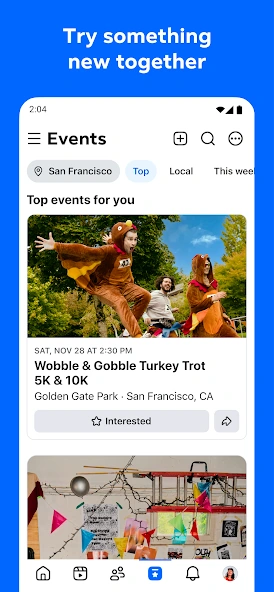
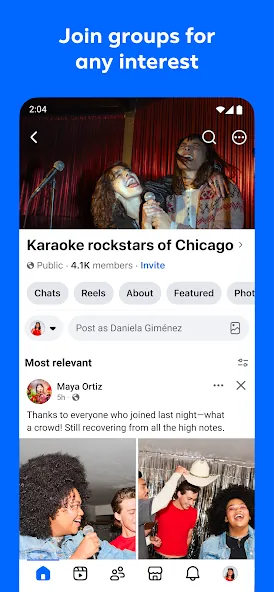
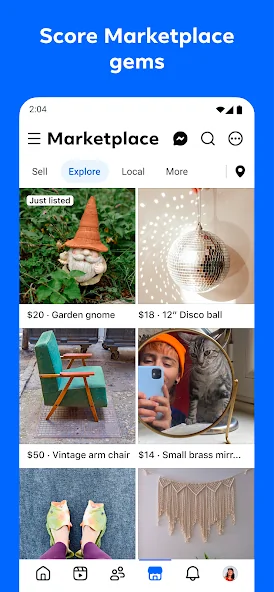
Take a closer look at the Facebook Android app. Explore its real app screens, social networking interface, content discovery, and other features.

Facebook App Interface

Social Networking

Facebook Features

Content Discovery

Facebook Mobile App

Facebook App Experience
Images are sourced from Facebook app listing screenshots. Interface details may change with app updates.
Features of the Facebook App
Personal Profiles
A profile gives users a place to share selected information, photographs, videos, and personal updates. Privacy controls allow them to decide who can view different parts of their profile.
News Feed
The Feed brings together posts from friends, Pages, Groups, and recommended sources. Users can react, comment, share posts, and adjust certain preferences to influence what appears.
Facebook Groups
Groups connect people with shared interests. Members can ask questions, exchange advice, publish discussions, and learn from others. Communities may be public or private, with administrators responsible for managing membership and content.
Facebook Pages
Pages are designed for businesses, organisations, creators, brands, and public figures. They provide a place to publish announcements, share media, respond to followers, and build an online audience.
Marketplace
Marketplace allows users to browse products listed by individuals and businesses. Listings can include photographs, descriptions, prices, and seller information. Availability and transaction options differ between locations.
Stories
Stories provide a temporary way to share photographs, videos, and short updates. They generally remain visible for 24 hours, making them useful for everyday moments that do not need to stay on a profile permanently.
Reels
Reels focus on short-form video content. Users can watch clips, create their own videos, and share them with friends or a wider audience.
Meta AI
In supported experiences, Meta AI can help users explore questions, discover information, and create certain types of content. Its features and availability depend on the region and account.
Facebook Reels, Stories, News Feed, and Content Sharing
Facebook offers several ways to discover and publish content. Although Reels, Stories, and the News Feed may appear together in the app, each serves a different purpose.
The News Feed is mainly used to follow updates from friends, Pages, and Groups. It can also include suggested posts from accounts a user does not currently follow. This makes it a mixture of personal updates and content discovery.
Reels provide a video-focused browsing experience. Users can move between clips covering subjects such as cooking, entertainment, travel, education, sports, and technology. Creators can use available editing options to prepare their videos before publishing them.
Stories are more temporary. A user might share a photograph from a holiday, a short personal update, or a quick video without adding it permanently to their profile. Audience settings help determine who can view each Story.
Facebook also provides options for sharing posts, photographs, and videos with other people. Users can publish publicly, share with selected audiences, or send content privately through Messenger.
Recommendations are influenced by different activity signals, including the content people watch and interact with. Meta introduced additional controls in October 2026 that allow users to express which topics they want to see more or less of in Feed and Reels through its Your Algorithm feature.
Facebook Groups, Pages, and Marketplace
Groups for Shared Interests
Facebook Groups bring people together around common subjects. Communities may focus on photography, education, fitness, technology, travel, parenting, or local activities.
Members can share experiences, ask questions, and take part in discussions. Some Groups allow anyone to join, while private communities may require approval from an administrator. Before participating, users should review the community rules and check whether its information is reliable.
Pages for Public Communication
Facebook Pages provide a public presence for businesses, organisations, creators, and public figures. A business can use its Page to introduce its services, publish updates, display photographs, and respond to customer questions.
Creators and public personalities can also use Pages to share their work with followers. Depending on eligibility and location, additional professional and monetisation tools may be available.
Marketplace for Buying and Selling
Marketplace is designed to help users discover products listed for sale. Common categories include electronics, furniture, clothing, vehicles, and household items.
A buyer can review a listing, compare available options, and contact the seller to discuss the product. However, a listing should not automatically be treated as proof that an item or seller is genuine. Checking product details, seller information, and payment arrangements is important before making a purchase. Marketplace access and features are not identical in every country.
Facebook Messenger and Communication Tools
Facebook connects social content with private communication through Messenger. Users can send direct messages, share photographs and videos, and communicate with friends, family, and other contacts.
One practical use is sharing something discovered while browsing. For example, a user can send a Reel to a friend or contact a Marketplace seller to ask about a product. This avoids the need to publish every interaction publicly.
Messenger also supports voice and video calls, making it useful for conversations between people living in different locations. Group conversations provide a way for several participants to communicate in one place. APKsbrain
Messenger is available as a separate application, although access and features may differ depending on the device and account. Meta continues to introduce communication updates, so users should check the current app information for the latest supported options.
How to Download and Install Facebook on Android
The Facebook Android app is available through the official Google Play Store. Before installing it, check the developer name and device compatibility to make sure you have selected the genuine application.
- Open Google Play Store on your Android phone or tablet.
- Search for Facebook.
- Select the application published by Meta Platforms, Inc.
- Review the app information and compatibility details.
- Tap Install.
- Wait for the download and installation to finish.
- Open Facebook and sign in or create an account.
Official download: Facebook on Google Play
Facebook Privacy, Security, and User Experience
Facebook accounts can contain personal photographs, conversations, profile details, and information about social connections. Users should understand the available privacy controls before sharing information.
Privacy settings allow people to manage who can see their posts and certain profile details. Users can also review account visibility, manage their audience, and adjust other available preferences. These controls are worth checking periodically because settings and features can change.
Account security requires attention as well. Use a strong password that is not reused on other websites, enable two-factor authentication where available, and never share login or verification codes with someone who contacts you unexpectedly.
Android permissions are another consideration. Depending on the features being used, may request access to the camera, microphone, photographs, or location. Users can review and manage app permissions through their device settings.
The overall experience depends on individual usage. Facebook offers a wide range of content and communication tools, but advertisements, recommended posts, and frequent notifications may become distracting. Adjusting notification preferences and Feed settings can help make the app easier to manage. For further details, users can review Meta’s official privacy information and the app’s Data safety information on Google Play.
Facebook App FAQs
What is the Facebook app used for?
Facebook is a social networking app that allows users to connect with friends and family, share photos and videos, follow Pages, join Groups, and explore content.
Can I use Facebook on an Android phone?
Yes, Facebook is available for compatible Android devices. You can download it from the Google Play Store and install the latest supported version.
How can I create a Facebook account?
Open the Facebook app or website, select the option to create a new account, and follow the registration steps. You will need to provide the requested information and complete the verification process if required.
Can I watch videos and Reels on Facebook?
Yes, Facebook includes video and Reels features. Users can explore short videos, watch shared content, and discover clips from different creators and Pages.
How can I keep my Facebook account secure?
Use a strong and unique password, enable two-factor authentication where available, and avoid sharing your login details. You should also review your privacy and security settings regularly.
Conclusion
Facebook combines social networking, content discovery, communication, and community features within one platform. Its Android app gives users several ways to stay connected, share information, discover videos, follow organisations, and explore products.
Its usefulness depends on what someone wants from the service. Some people mainly use it to keep in touch with friends and family, while others rely on Groups, Pages, Reels, or Marketplace for specific activities. Understanding the available features and reviewing privacy settings can help users make better use of the platform.
Mod features
Extras included in this package.
- Connect with friends and family from anywhere.
- Share photos, videos, stories, and daily updates.
- Watch short videos and explore Facebook Reels.
- Discover interesting posts based on your interests.
- Join groups and take part in community discussions.
- Buy and sell products through Facebook Marketplace.
- Follow your favorite pages and creators.
- Manage your account settings and privacy preferences.
- Receive notifications about activities and updates.
- Use Messenger to chat and communicate with others.