
TikTok
TikTok Pte. Ltd. Verified
Specifications
Table of contents
About this app
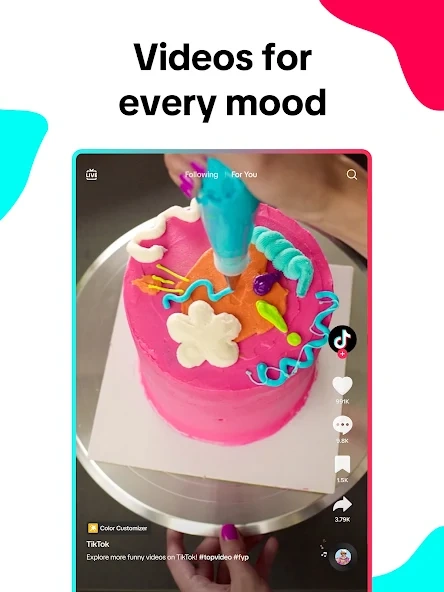
TikTok is a social media application developed by TikTok Pte. Ltd. that allows people to watch, create, edit, and share videos through their mobile devices. Its main experience revolves around short-form video content, although the platform also supports longer videos, photo posts, text posts, and LIVE broadcasts. Users can explore a wide range of subjects, including entertainment, technology, education, cooking, travel, fitness, gaming, fashion, and music. Instead of showing only content from followed accounts, TikTok uses recommendation systems to introduce viewers to videos and creators based on their interests and activity.
One of the platform’s defining characteristics is the connection between content discovery and video creation. Users can watch a video, explore its sound or hashtag, visit the creator’s profile, and produce their own response or related content. Built-in recording and editing tools make it possible to prepare videos without relying entirely on separate editing software. TikTok also includes social features such as comments, direct messages, Duet, Stitch, Stories, and LIVE streaming. Some services and features have age, account, or regional restrictions, so their availability may differ between users. The official Google Play listing identifies TikTok as a social application that contains advertisements and offers in-app purchases.
Understanding TikTok’s Home Screen and Personalized For You Feed
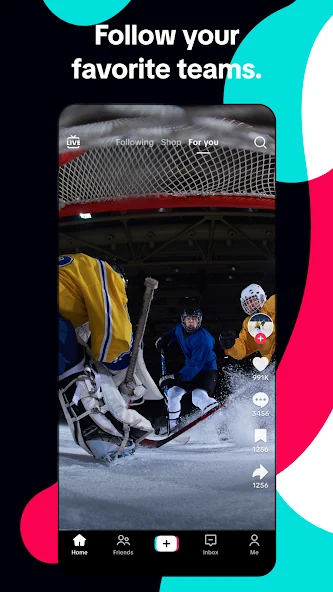
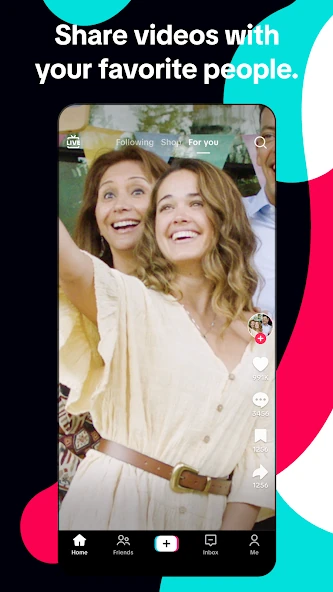
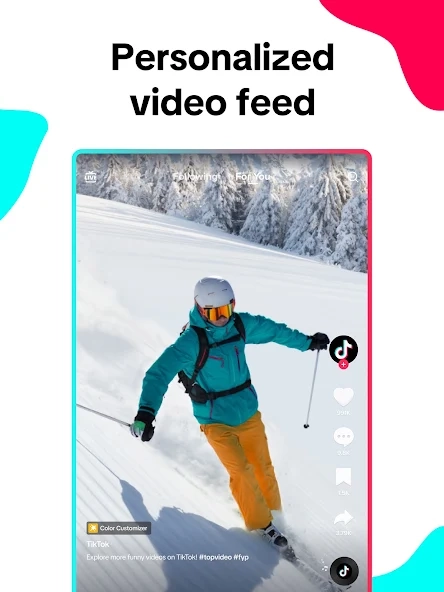
TikTok’s home screen is where users discover videos and explore new creators. The For You feed usually appears first and shows personalised videos based on users’ interests and activity, such as watch time, likes, comments, shares, and followed accounts. It helps users find entertaining and informative content, including videos from creators they may not already follow. You may be also check Sniper 3D
TikTok also offers a Following feed for videos from followed accounts and a Friends Tab for discovering content from friends and suggested creators in supported regions. Users can personalise their experience by selecting Not Interested, refreshing their For You feed, managing topics, and filtering keywords. These features help make video recommendations more relevant to their preferences.
Creating and Editing Videos with TikTok’s Creative Tools
TikTok includes recording and editing tools that help users turn ordinary photos and video clips into shareable posts. To begin creating content, users can tap the Add post (+) button at the bottom of the application. They can record a new video using their device camera or select existing media from their gallery. Depending on the selected post format and application version, different recording lengths and editing options may be available.
Video Recording: Users can record directly within TikTok and create clips in multiple takes. This is useful when a video requires several scenes rather than one continuous recording. They can also upload previously recorded footage and continue editing it inside the application.
Clip Editing: TikTok’s editing workspace provides tools for adjusting video clips. Available editing functions include trimming, cutting, merging, and rearranging supported clips. These controls help creators remove unnecessary sections, change the sequence of scenes, and prepare a more organised video before publishing.
Text and Captions: The text tool allows users to add titles, explanations, labels, and other written information. After entering text, users can adjust its appearance and position on the screen. Text can be particularly useful in tutorials, demonstrations, and videos where viewers may need additional context.
Sounds and Music: Creators can select available sounds and music to accompany their videos. Sound can support a particular mood, provide background audio, or connect a post with an existing trend. However, music availability depends on licensing, region, and account type. Business accounts may have different music-use options from personal accounts.
Filters and Effects: Filters modify the visual appearance of a recording, while effects add creative elements to the video. Some effects can change the appearance of a scene or introduce interactive visual features. Their availability can vary, and certain effects may be removed or replaced over time.
Stickers and Emojis: These elements can be placed over video content to highlight information or add visual details. Users can reposition them and adjust their appearance during editing. TikTok also supports animated sticker options in relevant editing areas.
Video Covers: Before publishing, creators can select a cover frame that acts as the thumbnail for a video. The cover may appear on their profile and in search-related locations, helping viewers identify the subject of the post.
Drafts: Users can save unfinished videos as drafts instead of publishing them immediately. Drafts can be reopened from the profile’s video area for further editing. However, TikTok states that drafts may be removed if the application is uninstalled and reinstalled or if the account is moved to another device. They cannot be transferred between different accounts. Users should therefore avoid treating drafts as permanent backups.
These tools support different creative approaches, from simple personal updates to more carefully edited tutorials and promotional videos. Before publishing, creators should check their video, sound, caption, cover image, and audience settings.
Exploring TikTok Trends, Sounds, Hashtags, and Search Features
TikTok’s discovery features allow users to explore content beyond the videos displayed in their personalised feeds. The search function can help locate creators, subjects, hashtags, sounds, and specific types of posts. For example, someone interested in photography can search for mobile camera tutorials, editing techniques, or equipment reviews. Search results are influenced by the relevance of the content to the entered query, along with other signals.
TikTok Search: Users can enter a keyword or phrase to find related videos and accounts. Search can be useful when looking for a particular tutorial or when trying to find content about a subject that does not regularly appear in the For You feed. TikTok also recommends search terms to help users explore related topics.
Hashtags: Hashtags are words or phrases preceded by the # symbol. Creators add them to captions to describe the subject of a post and associate it with a particular topic. Viewers can select a hashtag to explore other videos using the same label. For instance, a cooking video might include hashtags related to recipes or food preparation. Relevant hashtags can improve content organisation, but they do not guarantee that a video will receive more views.
Trending Sounds: Sounds and music are an important part of TikTok’s creative environment. Users can explore videos that use a particular sound and, where permitted, select it for their own content. A sound may become associated with a popular dance, comedy format, storytelling style, or editing trend. Music licensing and regional availability can affect which sounds users are able to select.
Challenges and Creative Trends: TikTok users often participate in recurring creative formats, themed challenges, and popular video styles. Some involve dance routines, others focus on cooking, photography, educational content, or entertainment. Users should assess whether a challenge is safe before participating and avoid activities that could cause injury or harm.
Favourite Videos and Sounds: Supported content can be saved to favourites so users can return to it later. This can be helpful when collecting useful tutorials, recipes, music, or creative inspiration. The exact organisation options may depend on the account and application version.
Discovery is not limited to watching videos. A user can find a post through search, open its sound, explore the related hashtag, and discover other creators covering the same subject. This makes TikTok useful for both entertainment and topic-based exploration.
Connecting with Creators Through Following, Comments, and Direct Messages
TikTok includes several interaction features that allow users to communicate with creators and other members of the community. Following an account is one of the simplest ways to keep track of its content. When users follow a creator, that account’s posts can appear in their Following feed. They can also visit the creator’s profile to explore available videos and other public information.
Following and Followers: Following connects users with accounts they want to see more often. Followers are people who have chosen to follow a particular account. Users can review their following and follower lists through their profiles. Whether an account is public or private affects how people can follow it and access its content.
Likes: The Like button allows viewers to show appreciation for a video. Likes also contribute to the interaction information TikTok may use when personalising recommendations. Users can review their liked videos through the relevant profile section, subject to their privacy settings.
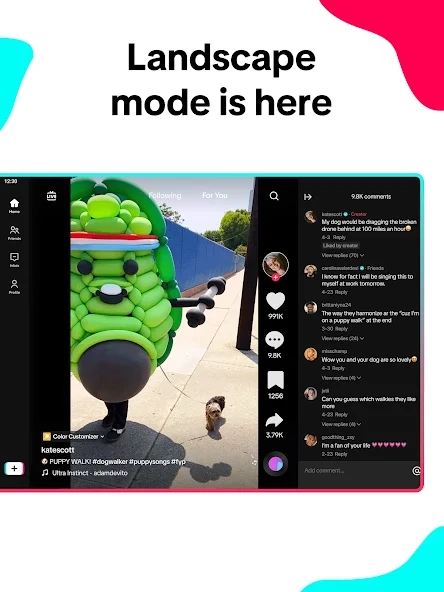
Comments: The comment section allows viewers to ask questions, share opinions, and respond to a creator’s post. Creators can manage who is allowed to comment and use available filtering tools to reduce spam or unwanted language. TikTok provides options for filtering comments by keywords and reviewing comments that have been held for approval.
Sharing Videos: The Share button allows users to send supported posts to other people or share them through available methods. The options displayed can depend on the original creator’s privacy settings and the content involved.
Direct Messages: Direct messaging provides a private way to communicate with other users. Depending on eligibility and account settings, people may be able to exchange messages and share supported TikTok content. Users can manage who is allowed to send message requests through their privacy settings. Messaging availability can be restricted by age, and some options may differ between regions.
Duet: Duet allows users to create a video alongside another creator’s eligible post. Both videos appear together in a side-by-side layout, making the feature useful for reactions, comparisons, demonstrations, and collaborative content.
Stitch: Stitch allows a creator to include a selected section of another user’s video in a new post. It can be used to respond to a question, continue a discussion, or provide additional information. The original creator’s privacy settings determine whether their video can be used in a Stitch.
These features support different forms of participation, but users should communicate respectfully and avoid sharing sensitive personal information in comments or messages.
Discovering TikTok Stories, LIVE Videos, and Interactive Features
TikTok supports several content formats that give users alternatives to standard video posts. Stories are designed for temporary updates, while LIVE streaming allows eligible creators to communicate with viewers in real time. Other interactive features help creators encourage audience participation. Availability can depend on age, account eligibility, regional restrictions, and the current version of the application.
TikTok Stories: Stories allow users to share photos and videos that remain available for 24 hours. They can appear on a user’s profile and in supported feeds and inbox locations. To create one, users can tap the Add post (+) button and select the Story option where available. They can then capture a photo, record a video, or upload media from their device. Filters, sounds, text, and stickers can be added before publishing. Viewers can send replies and reactions, while creators can review Story views and manage reply permissions.
TikTok LIVE: LIVE streaming allows eligible creators to broadcast video in real time. Viewers can watch a session and participate through comments when the creator or moderator has enabled them. LIVE sessions can be used for discussions, product demonstrations, tutorials, entertainment, and question-and-answer activities. TikTok does not make LIVE hosting available to every account automatically; creators must meet the platform’s eligibility requirements.
LIVE Gifts: In eligible locations, viewers may be able to send virtual Gifts during LIVE sessions. These features are subject to account eligibility, age requirements, local availability, and TikTok’s applicable rules. Users should review the displayed purchase information before spending money on virtual items.
LIVE Comments and Moderation: Creators and moderators can manage comments during a broadcast. They may use moderation controls to filter words, mute viewers, or restrict unwanted participation. Viewers may not be able to comment when the creator has disabled comments or when their access has been restricted.
Polls and Interactive Elements: TikTok may provide interactive stickers and other participation tools for supported content formats. These options allow creators to ask questions, collect responses, and encourage viewers to engage with a post. The tools available can differ between Stories, videos, and other publishing formats.
TikTok Privacy Settings, Account Security, and Personalized Experience
Public and Private Accounts: A public account allows a wider audience to discover and view eligible content, depending on individual post settings. A private account gives users more control because they must approve new followers. TikTok also applies additional default privacy protections to younger users. A private account does not make every profile detail invisible; usernames, nicknames, and profile pictures may remain visible.
Post Visibility: Users can manage the audience for individual posts using the available privacy options. This is useful when a person wants to publish some videos publicly while keeping other content limited to friends or an approved audience.
Comment Controls: TikTok allows users to choose who can comment on their posts, where the relevant options are available. Comment filters can also help reduce spam, offensive language, and selected keywords. Users can review filtered comments and decide whether to approve or delete them.
Direct Message Privacy: Users can review who is permitted to send them direct messages or message requests. Restricting contact from unfamiliar accounts can reduce unwanted communication. Blocking and reporting options are also available for dealing with abusive or suspicious behaviour.
Personalised Content Controls: Users can adjust their For You feed using Not Interested, keyword filters, topic management, and feed refresh options. These controls help shape recommendations, although changes may take time to influence the content displayed.
App Permissions: TikTok may request access to device functions such as the camera, microphone, and photo library when users choose features that require them. Users can review these permissions through their Android device settings and decide which access to allow. Permission requirements may vary according to the functions being used.
Data Collection and Privacy Policy: TikTok’s Google Play Data safety disclosure states that the application may collect location, personal information, and other data categories, and may share certain information with third parties. The listing also states that data is encrypted in transit and that users can request data deletion. These are developer-provided disclosures, and practices may vary according to region, age, and how the application is used. Readers should consult the current privacy policy and the Data safety section of their own regional app listing for further details.
Account Security: Users should create a strong, unique password and avoid sharing login credentials. They should be cautious about messages claiming to offer prizes, verification, or account recovery through unfamiliar links. Where available, additional verification and security management options can provide further protection.
FAQs
Can I save TikTok videos to watch later?
Yes, users can add supported videos to their favourites and revisit them later. Some videos may also offer a download option, depending on the creator’s settings.
What is TikTok Duet used for?
Duet allows users to create a video alongside another creator’s eligible video. It is commonly used for reactions, comparisons, performances, and creative collaborations.
How long do TikTok Stories remain available?
TikTok Stories generally remain visible for 24 hours. During this period, viewers can watch them and interact through available replies and reactions.
Can I control who comments on my TikTok videos?
Yes, TikTok provides comment privacy settings that allow users to manage who can comment on their posts. Available filtering options can also help reduce unwanted comments.
Does TikTok offer tools for content creators?
Yes, TikTok provides creator tools such as analytics, video editing options, and promotional features. Access to certain tools depends on account eligibility and regional availability.
Conclusion
TikTok combines video discovery, content creation, and social interaction in a single mobile application. Its personalised For You feed helps users explore new creators and subjects, while search and hashtags make it easier to find specific information. Recording and editing tools allow creators to prepare videos using sounds, text, filters, effects, and other creative elements. Duet, Stitch, Stories, and LIVE add different ways to participate and communicate with the wider community.
The application also provides privacy settings, comment controls, recommendation preferences, and account security options that users should understand before publishing content. Its features and services are not identical in every country, and some require specific account eligibility. TikTok can be useful for entertainment, learning, creative projects, and discovering online communities, but responsible use and careful privacy management remain important. At APKsbrain, we always advise users to download the official application directly from the Google Play Store and review app permissions and privacy disclosures before creating an account.
Mod features
Extras included in this package.
- Ad-Free Experience – Some modified versions claim to remove advertisements.
- Video Downloading – May offer additional options for saving videos.
- Watermark-Free Downloads – Some builds claim to download videos without TikTok branding.
- Enhanced Download Options – May provide different video-saving settings.
- Background Playback – Some versions claim to play videos while using other apps.
- Custom Themes – May offer additional appearance and interface options.
- Extra Privacy Controls – Some builds advertise additional viewing and privacy settings.
- Content Saving Options – May provide extra ways to save favourite videos.
- Modified User Interface – Some versions offer changes to the original app layout.
- Additional Playback Settings – May include extra video playback controls.