
LinkedIn Verified

Specifications
Table of contents
About this app
LinkedIn is a professional networking platform that helps people develop their careers, discover employment opportunities, and build relationships with professionals around the world. It provides a space where individuals can present their qualifications, work experience, education, and professional achievements through an online profile.
The platform is useful for job seekers, students, business owners, recruiters, and experienced professionals. Instead of relying only on traditional CVs and personal contacts, members can use to explore companies, communicate with hiring managers, follow industry developments, and learn about new career opportunities.
LinkedIn also supports professional content sharing. Members can publish industry-related updates, participate in discussions, share useful resources, and follow organisations that match their interests. These activities allow people to stay informed and maintain a visible professional presence.
What Is LinkedIn?
LinkedIn is an online professional network owned by Microsoft. Its primary purpose is to connect individuals and organisations through professional profiles, networking tools, employment services, and business-related content.
The platform works through a system of profiles and connections. After registering, users can create a profile containing their professional headline, employment history, education, skills, certifications, and other relevant information. This profile acts as an online professional identity that other members and recruiters can discover.
Users can send connection requests to colleagues, former classmates, employers, recruiters, and industry specialists. Once someone accepts a request, both members become part of each other’s professional network. They can communicate through LinkedIn messaging and view relevant updates shared by their connections.
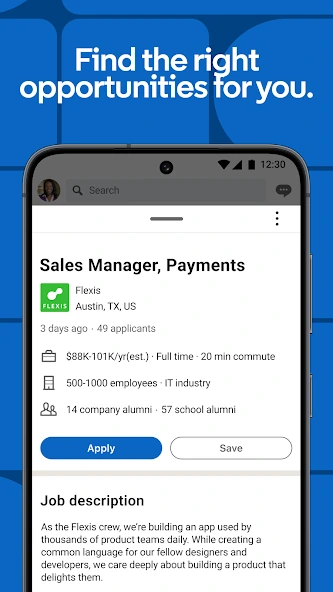
Another important part of LinkedIn is its job search functionality. Companies and recruitment professionals publish vacancies, while candidates can search for positions using job titles, industries, locations, and workplace preferences. Some employers accept applications directly through LinkedIn, while others direct candidates to their own recruitment websites.
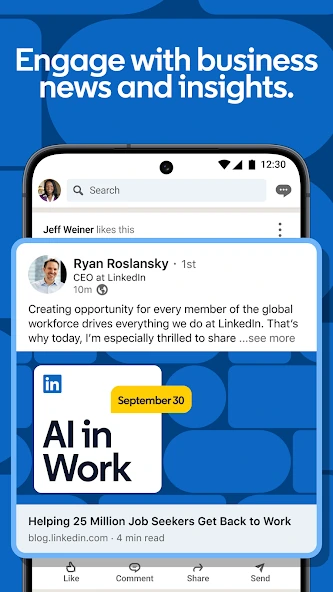
The homepage also contains a personalized feed where users can discover professional posts, company announcements, discussions, and updates from their network. The content displayed can vary according to profile information and platform activity.
LinkedIn App Screenshots
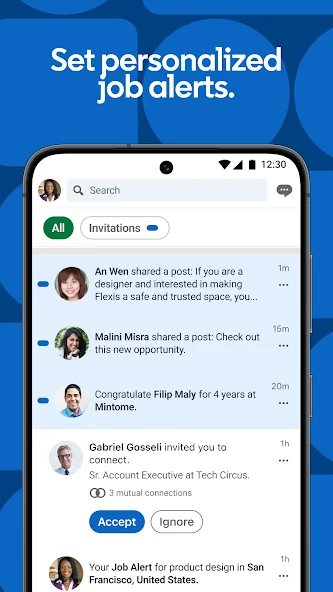
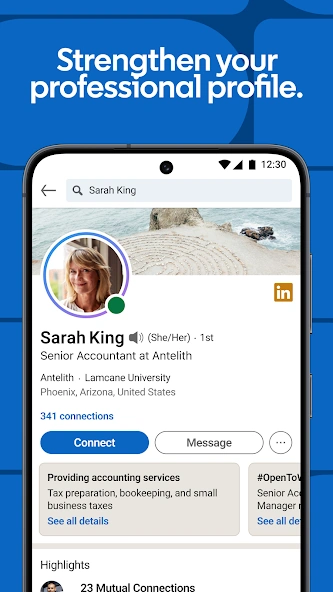
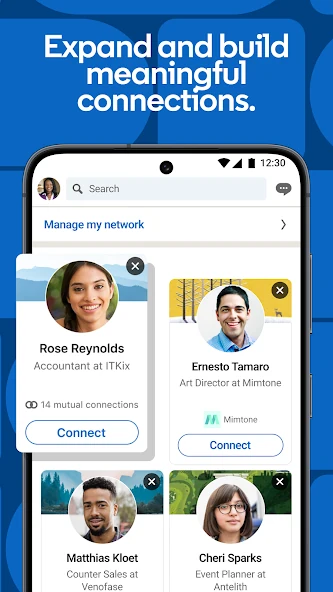
Explore LinkedIn app screenshots showing its professional networking interface, job search features, profile sections, messaging options, and tools for connecting with professionals.

LinkedIn App Interface

Professional Networking

LinkedIn Features

LinkedIn Mobile Experience

Career and Connections

LinkedIn Career Tools
Screenshots are provided for visual reference. The app interface and available features may change with future updates.
Key Features and Benefits of LinkedIn
Professional Profile and Digital Resume
A LinkedIn profile allows users to present their professional background in one place. Members can include their current position, previous employment, academic qualifications, professional certifications, skills, projects, and achievements. A well-organised profile gives recruiters and potential business contacts a clearer understanding of someone’s experience. Users can also customise their professional headline and About section to explain their expertise and career objectives.
Job Search and Career Opportunities
The Jobs section helps members explore vacancies from different companies and industries. Users can search for specific positions, select preferred locations, and apply available filters to narrow down the results. LinkedIn also supports job alerts, allowing members to receive notifications about newly published positions matching their search preferences. Some vacancies include an Easy Apply option, while others require candidates to complete the application process on an external website.
Professional Networking
Networking is one of central functions. Members can connect with colleagues, industry experts, business owners, recruiters, and other professionals. These connections can help users exchange information, discuss industry developments, and learn about potential opportunities. Members can also follow professionals and organizations without necessarily sending a connection request.
Company Pages
LinkedIn Pages allow businesses and organisations to maintain an official presence on the platform. Companies can publish updates, introduce their services, share announcements, and communicate with followers. For job seekers, company pages are useful for researching potential employers. They can explore business activities, workplace updates, and recruitment announcements before applying for a position.
Content Publishing and Professional Discussions
Members can share text posts, photographs, videos, articles, and professional updates. They can also react to publications, leave comments, and participate in relevant discussions. For example, an accountant might share information about financial reporting, while a software developer could discuss programming tools or recent projects. Sharing relevant knowledge can help professionals develop their presence within their industries.
LinkedIn Learning
LinkedIn Learning provides online courses covering professional and technical subjects. Its learning library includes topics such as leadership, communication, business management, software development, marketing, and data analysis. Members can use these courses to develop existing abilities or explore new areas of knowledge. Access to the service depends on the applicable subscription or learning arrangement.
How to Create a LinkedIn Account and Set Up Your Profile?
- Keep Your Profile Updated: Regularly update your experience, skills, certifications, and achievements.
- Visit LinkedIn: Open the official LinkedIn website or download its mobile app.
- Sign Up: Click the Join Now option and enter your email address or mobile number.
- Create a Password: Choose a strong password to protect your account.
- Enter Your Details: Provide your name and other required registration information.
- Verify Your Account: Complete the email or mobile verification process if requested.
- Add a Profile Picture: Upload a clear and professional photograph.
- Complete Your Profile: Add your education, work experience, qualifications, and professional skills.
- Build Your Network: Connect with colleagues, friends, recruiters, and other professionals.
- Update Profile Settings: Review your privacy, security, and notification settings.
How to Find Jobs and Connect with Professionals on LinkedIn?
Search for Jobs Using Relevant Keywords
Open the Jobs section and enter a suitable job title in the search bar. For example, you can search for Finance Manager, Financial Controller, Accountant, Software Engineer, or Marketing Executive. You can refine the results using available filters such as location, experience level, employment type, and workplace arrangement. This helps you identify vacancies that better match your qualifications and career preferences.
Explore Remote and International Opportunities
LinkedIn allows members to search for remote positions by selecting the Remote workplace filter when available. Candidates can also explore vacancies published by international companies. However, remote employment does not automatically mean that a company accepts applications from every country. Always review the job description, employment eligibility, time-zone requirements, and location restrictions before applying.
Set Up Job Alerts
Job alerts help users monitor new employment opportunities. After performing a job search, members can create an alert based on their preferred search criteria. LinkedIn can then send notifications when relevant vacancies become available. This is particularly useful for people who regularly monitor specific positions or industries.
Improve Your Profile for Recruiters
Recruiters often search for candidates using job titles, qualifications, professional experience, and relevant skills. Therefore, your profile should clearly explain what you do and what you can offer. Include accurate employment dates, responsibilities, achievements, and professional certifications. A suitable headline and informative About section can also help visitors understand your experience.
Connect with Recruiters and Hiring Managers
Search for recruitment professionals and hiring managers working in your target industry. Before sending a connection request, review their profiles and understand their professional roles. A short and respectful message explaining your background and reason for connecting can make your request more meaningful. Avoid sending repeated promotional messages or unsolicited requests for employment.
Use the Open to Work Feature
LinkedIn includes an Open to Work feature that allows members to communicate their interest in new employment opportunities. Users can provide information about their preferred job titles, locations, and workplace arrangements. Depending on the selected visibility settings, this information can be shared with recruiters or displayed more widely on their profile.
Research Companies Before Applying
Before submitting an application, visit the employer’s LinkedIn Page and official website. Review the company’s activities, job requirements, and available information about its recruitment process. Be careful with vacancies that request unusual upfront payments, sensitive financial information, or communication through suspicious channels. A genuine job application should not require you to pay an unknown recruiter to secure employment.
FAQs
Conclusion
LinkedIn is a valuable platform for building professional connections, finding job opportunities, and improving career prospects. It allows users to showcase their education, work experience, skills, and achievements while connecting with recruiters, employers, and professionals from different industries. Whether you are a student, fresh graduate, job seeker, or experienced professional, LinkedIn provides useful tools to support your professional growth.
To get the best results from LinkedIn, create a complete and professional profile, connect with relevant people, explore suitable job opportunities, and share useful industry-related updates. Keep your profile information accurate and updated as your experience and skills develop. With regular and thoughtful use, LinkedIn can help you build a stronger professional network and discover new career opportunities. APKsbrain