
Instagram Lite For Android Free Download APK From Apksbrain
Instagram Verified
Specifications
Table of contents
About this app
Instagram has become a part of everyday life for many people. Some use it to share pictures with friends, others enjoy watching short videos, and many simply like keeping up with the people and pages they follow. However, the regular Instagram app can take up quite a bit of space on a phone. This is where Instagram Lite comes in. Developed by Meta, it offers a smaller version of Instagram that lets people enjoy social media without needing as much storage. Users can still browse posts, follow accounts, watch videos, and share their own pictures with others.
Not everyone has a new smartphone with plenty of storage and a fast internet connection. Some people use older Android phones, while others prefer to save their mobile data for important things. Instagram Lite is a useful option in these situations. It is built to be lighter on a device and focuses on the features people use most often. You do not need a powerful phone just to check what your friends have posted or see the latest updates from your favourite creators. This makes it a practical choice for everyday use.
What makes Instagram Lite worth considering is that it keeps the basic Instagram experience familiar. Once you log in, you can scroll through your feed, view Stories, watch supported Reels, like pictures, and interact with other users. You can also use the messaging features available in the app to stay in touch with friends. Of course, it does not include every feature found in the full Instagram application, but that may not matter to someone who only needs the basics. If you want to use Instagram without taking up too much space on your phone, the Lite version is certainly worth a look.
What Is Instagram Lite and How Does It Work?
Instagram Lite is a smaller version of the Instagram app, made by Meta for people who want to enjoy social media without taking up too much space on their phones. Think of someone who has an Android phone with limited storage but still wants to see what friends are posting, follow favourite celebrities, or watch interesting videos. Installing the regular Instagram app might not always be the best option for them, so Instagram Lite offers another way to use the platform. It brings together the main things people enjoy about Instagram in a much lighter application.
Using Instagram Lite is not difficult, even if someone has never used it before. After downloading the app and logging in with an existing Instagram account, the home feed shows posts from the people and pages they follow. Users can scroll through pictures, watch videos, like posts, leave comments, and visit different profiles. If they come across an interesting account, they can follow it to see more of its content. Stories, supported Reels, and messaging features also make it possible to enjoy different types of content and stay connected with friends.
Of course, Instagram Lite does not offer exactly the same experience as the regular Instagram app. Some editing tools, camera effects, and additional features may be missing or work differently. But that does not make it useless. Many people do not need every feature Instagram offers; they just want to open the app, check new posts, watch a few videos, and chat with friends. For these everyday activities, Instagram Lite can be a sensible option, particularly when saving phone storage and keeping things simple are more important than having every extra feature.
Instagram Lite App Screenshots
Take a look at Instagram Lite screenshots showing its home feed, Reels, Stories, profile pages, and other useful app features.
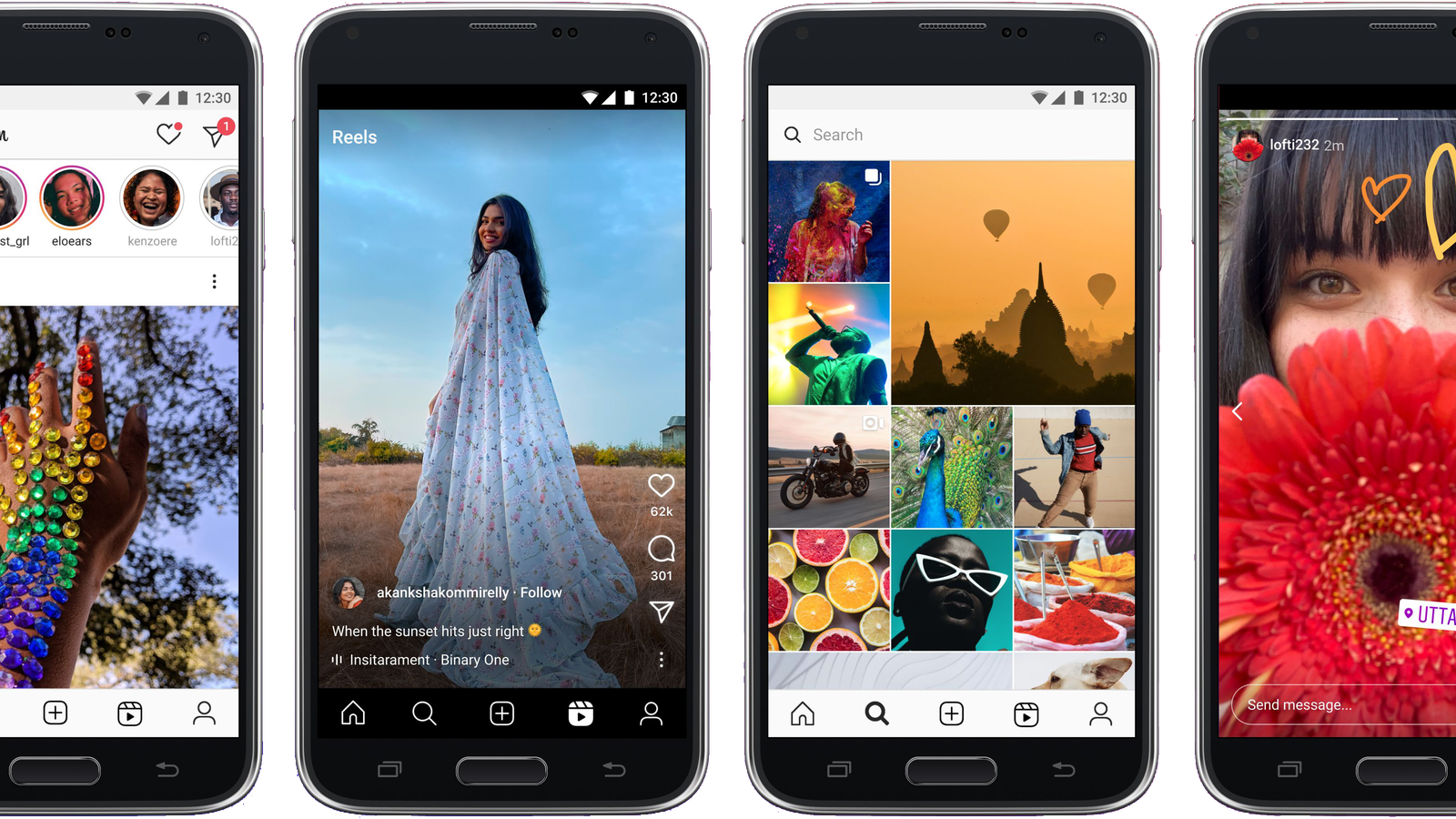
Instagram Lite Home Feed
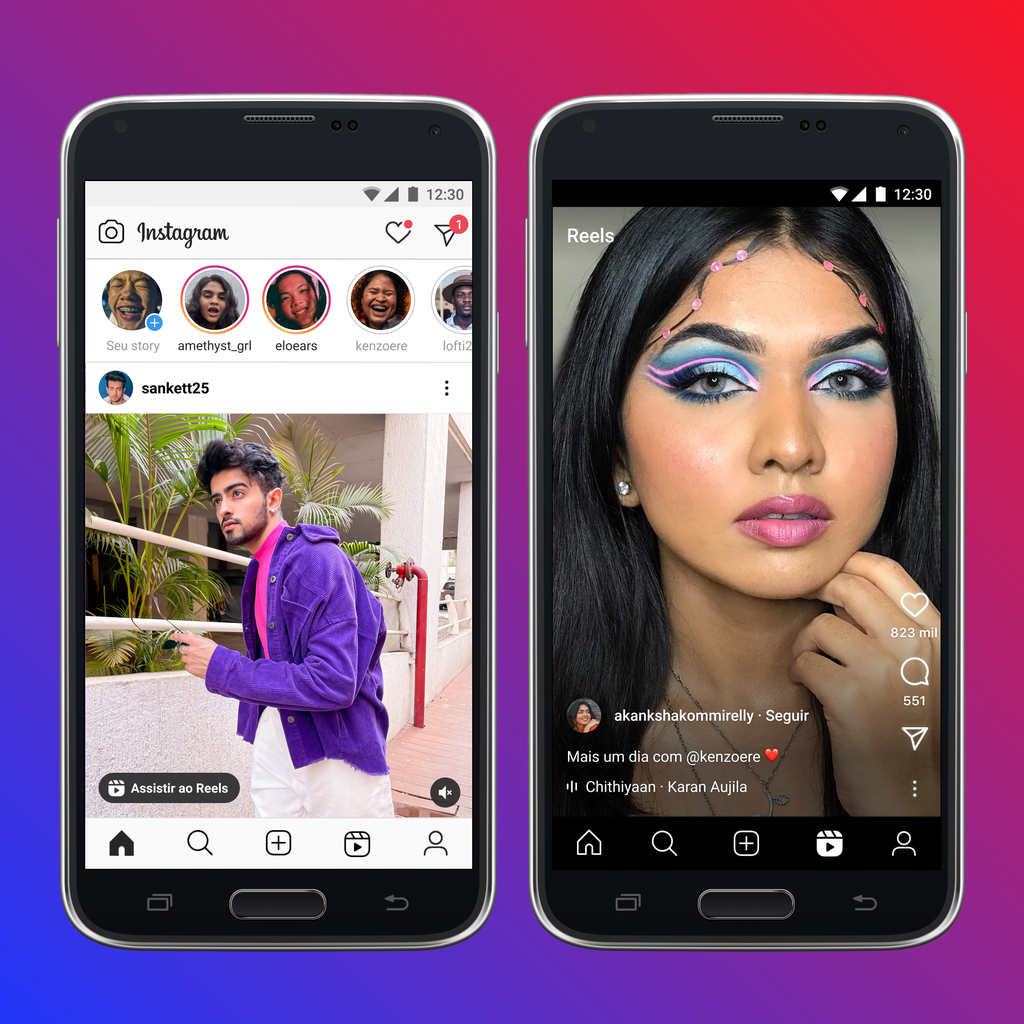
Instagram Lite Reels

Profile and Photo Sharing

Stories and Camera

Explore and Discover

Instagram Lite Stories
Images are shown for visual reference. App appearance and available features may vary depending on the version and region.
Instagram Lite Reels
Why Was Instagram Lite Developed?
Not everyone has a smartphone with plenty of storage or a fast internet connection, and Meta understood that this could make using the regular Instagram app difficult for some people. Many users have older Android phones, limited mobile data, or not enough free space to install larger applications. They still want to enjoy Instagram, follow their favourite accounts, share pictures, and see what their friends are doing. Instagram Lite was introduced to give these users a simpler way to access the platform without needing a high-end smartphone or a lot of storage.
Another reason for developing Instagram Lite was to make the app easier to use in places where internet connections are not always reliable. In some areas, mobile internet can be slow, and downloading or loading a large application may take more time than expected. The regular Instagram app also comes with different tools, animations, and features that need more device resources. Instead of including everything, Instagram Lite focuses on the features people commonly use, helping keep the application smaller and easier to run on supported devices.
The idea was not to create a completely different social media platform but to make Instagram available to more people. Someone using a basic Android phone should also have the opportunity to browse photos, watch available videos, follow creators, and stay connected with friends. That is what makes Instagram Lite useful. It gives people another way to enjoy the familiar Instagram experience while making better use of their phone’s storage and available resources.
Features of Instagram Lite
Small App Size
One of the main reasons people choose Instagram Lite is its smaller installation size. It takes up less space on an Android phone compared with the regular Instagram application. This is particularly helpful for people who have limited internal storage and do not want to remove their photos, videos, or other apps just to install Instagram. Its lightweight design makes it a convenient option for everyday use.
Home Feed and Post Browsing
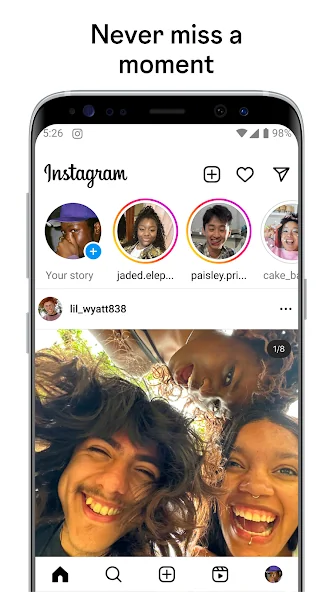
The home feed is where users can see posts shared by the accounts they follow. Whenever they open Instagram Lite, they can scroll through pictures and videos, check recent updates, and see what friends or favourite creators have shared. Users can also interact with posts by liking them, leaving comments, or sharing interesting content. It provides an easy way to keep up with different accounts in one place.
Photo and Video Uploading
Instagram Lite allows users to share their own photos and supported videos with their followers. Whether someone wants to upload a family picture, share a travel moment, or post something from everyday life, they can use the available sharing options. Followers can then view the uploaded content and interact through likes and comments. This feature makes it easier for users to share personal moments without needing a separate application.
Instagram Stories
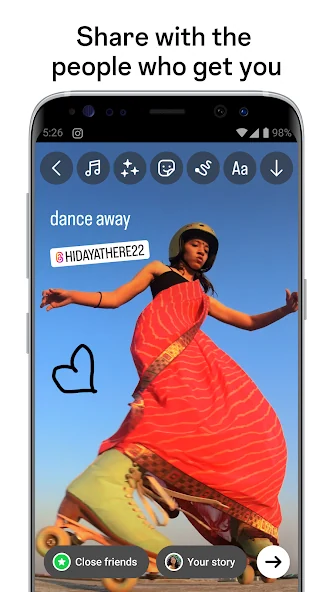
Stories are a popular part of Instagram because they allow people to share small updates throughout the day. With supported Stories features in Instagram Lite, users can view photos and videos shared by the accounts they follow. They can also share their own updates, which normally remain visible for 24 hours before disappearing. It is a convenient way to share everyday moments without adding every picture or video permanently to a profile.
Reels and Short Videos
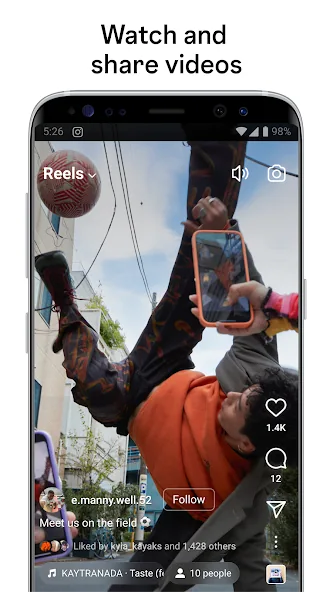
Reels give users a way to watch short videos covering different topics, including comedy, music, cooking, travel, education, and entertainment. Instagram Lite provides access to supported Reels features, allowing users to explore short-form content from different creators. They can watch available videos and discover new accounts through the content shown in their feed and Explore section. Feature availability may vary depending on the application version and region.
Direct Messaging
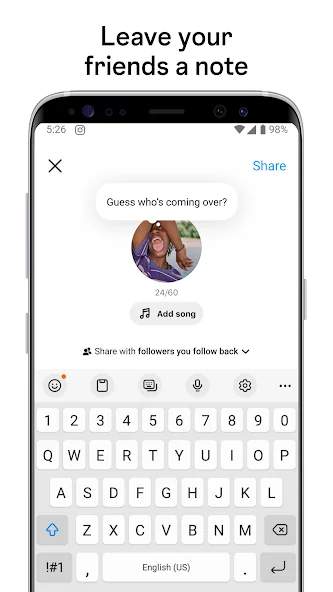
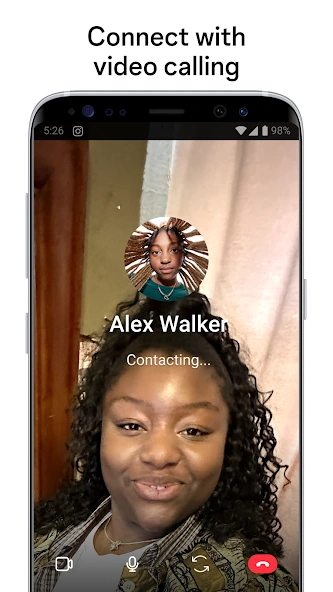
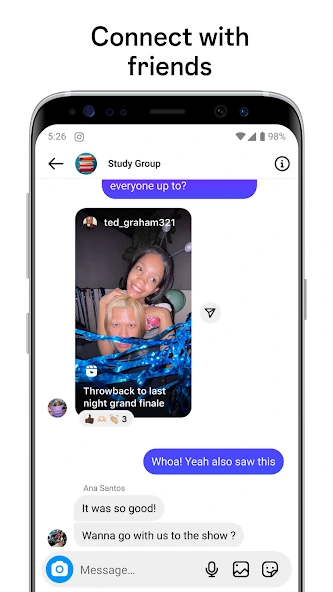
Direct messaging helps users communicate privately with friends and other Instagram accounts. Through supported messaging features, users can send messages, continue conversations, and share content without making everything public. This is useful when someone wants to discuss a post, send a quick message, or stay connected with family members. It also makes Instagram Lite more than just an application for browsing pictures and videos.
Search and Explore
The Search and Explore feature helps users find new content and accounts on Instagram. They can search for specific usernames, celebrities, creators, or topics they are interested in. The Explore section also displays different types of content based on their activity and interests. For example, someone who enjoys football may discover sports-related posts, while another user might find cooking videos or travel pictures.
Like, Comment, and Share
Instagram Lite allows users to interact with content shared by other people. They can tap the like button when they enjoy a picture or video, leave comments to share their thoughts, and send interesting posts to others through available sharing options. These simple interactions help users participate in conversations and stay connected with the people they follow.
User Profiles and Following
Every Instagram user has a personal profile where they can share information about themselves and display their uploaded posts. Instagram Lite allows users to visit other profiles, check available pictures and videos, and follow accounts they find interesting. They can also manage their own profiles and see their followers and following lists. This makes it easier to build connections and keep track of favourite creators, friends, and pages.
Notifications and Account Updates
Notifications help users stay informed about activity on their Instagram accounts. They can receive updates about likes, comments, new followers, and other available account activities. Instead of constantly opening different profiles to check for updates, users can see relevant notifications within the app. This makes it easier to keep track of interactions and know when someone has engaged with their content.
Photos, Reels, Stories, and Messaging on Instagram Lite
Photos are one of the main reasons people enjoy using Instagram, and Instagram Lite gives users a way to view and share pictures through their accounts. When someone opens the app, they can see photos posted by friends, family members, businesses, and creators they follow. They can like pictures, leave comments, and share posts with other people. Users can also upload their own photos to show what they are doing, share special moments, or keep their followers updated about everyday activities.
Reels and Stories add more variety to the content available on Instagram Lite. Reels allow users to watch short videos about entertainment, cooking, travel, comedy, music, and many other subjects. Stories, on the other hand, are useful for sharing temporary updates that normally disappear after 24 hours. Along with these features, supported direct messaging options allow users to exchange private messages and share content with friends. Some features may work differently or have limited availability depending on the app version and region.
Data Usage and Performance of Instagram Lite
One reason people prefer Instagram Lite is that it is designed to work with fewer device resources than the regular Instagram application. Its smaller installation size helps save storage space, while its lightweight design makes it a suitable option for many basic Android smartphones. People who do not have the latest mobile devices can still use the app to browse posts, check updates, and stay connected with others. It can also be helpful in places where internet connections are not always fast or reliable.
Although Instagram Lite is designed to offer a lighter experience, it still uses mobile data whenever users browse content online. For example, scrolling through pictures may use less data than watching several Reels or long videos. Stories and video content also require an internet connection to load properly. Users who have limited mobile data can make better use of their package by connecting to Wi-Fi whenever possible and avoiding unnecessary video streaming. Actual data consumption and performance depend on internet speed, video quality, device specifications, and how frequently the app is used.
Instagram Lite Compatibility and Device Requirements
Instagram Lite is mainly designed for Android smartphones, particularly devices where storage space and system resources are limited. Before downloading it, users should check whether their phone supports the available version of the application. The app is not intended to provide every feature found in regular Instagram, but it offers many of the basic tools people need for everyday social networking. Having enough free storage is also important because the phone needs space to install the application and receive future updates.
A working internet connection is necessary to browse pictures, watch videos, check Stories, and communicate with other users. People can use either mobile data or a Wi-Fi connection, depending on what is available. It is also a good idea to download Instagram Lite through Google Play when it is officially available in the user’s country. Keeping the application updated can help users receive improvements, bug fixes, and security updates. Checking these basic requirements before installation can make the setup process easier and help avoid common compatibility problems. smoother experience. APKsbrain
Is Instagram Lite Worth Using? Pros and Cons
Pros of Instagram Lite
- Smaller App Size: Takes up less installation space than the regular Instagram application.
- Lower Resource Requirements: Designed to work with fewer device resources.
- Simple Navigation: Provides a straightforward interface that is easy to understand.
- Essential Features: Supports important activities such as browsing posts, sharing content, and messaging.
- Suitable for Basic Smartphones: Can be a convenient option for devices with limited hardware capabilities.
- Convenient Social Networking: Helps users stay connected with friends, family, and content creators.
Cons of Instagram Lite
- Limited Features: Some advanced tools available in regular Instagram may not be included.
- Fewer Editing Options: Certain creative tools and effects may be unavailable.
- Regional Availability: The application may not be officially available in every country.
- Internet Required: Most content and communication features require an active internet connection.
- Different User Experience: Some features may work differently compared with the standard Instagram application.
FAQs
What is Instagram Lite used for?
Instagram Lite is used for browsing photos, watching videos, following accounts, sharing posts, and communicating with friends. It offers a lighter way to enjoy Instagram on supported Android devices.
Can I use my existing Instagram account on Instagram Lite?
Yes, you can sign in to Instagram Lite using your existing Instagram username and password. There is no need to create a separate account just to use the Lite version.
Does Instagram Lite support Reels and Stories?
Yes, Instagram Lite supports Reels and Stories where these features are available. Users can watch short videos, view temporary updates, and enjoy content shared by other accounts.
Can I send private messages through Instagram Lite?
Yes, Instagram Lite provides supported messaging features that allow users to communicate privately with friends and other Instagram accounts.
Is Instagram Lite smaller than the regular Instagram app?
Yes, Instagram Lite is designed with a smaller installation size than the regular Instagram application. It takes up less storage space, making it useful for phones with limited internal memory.
Where can I download Instagram Lite safely?
Android users should check Google Play for the official Instagram Lite application. Always verify the developer information and avoid downloading APK files from unknown websites.
Conclusion
Instagram Lite is a good option for people who enjoy using Instagram but do not want a large application taking up too much space on their phones. It covers the everyday things most users look for, such as browsing pictures, watching videos, checking Stories, exploring Reels, and staying in touch with friends. Its smaller size makes it especially useful for people who have older Android phones or limited storage. Although it does not offer every tool and feature available in the regular Instagram app, it still provides a familiar way to enjoy social media without making things unnecessarily complicated.
Whether Instagram Lite is the right choice really depends on how you use Instagram. If you mainly open the app to see new posts, follow interesting accounts, watch short videos, and chat with friends, the Lite version can do the job quite well. On the other hand, people who regularly use advanced editing tools, creative effects, and other additional features may feel more comfortable with the regular application. Overall, Instagram Lite is worth considering if you prefer a simple app that takes up less storage while keeping you connected with the people and content you enjoy.
Mod features
Extras included in this package.
- Browse photos and videos from friends and creators.
- Share pictures and everyday moments through Stories.
- Watch entertaining short videos and Reels.
- Follow your favorite celebrities, brands, and creators.
- Like, comment on, and share interesting posts.
- Discover new content through the Explore section.
- Send messages and stay connected with friends.
- Upload photos and manage your personal profile.
- Enjoy faster browsing on slower internet connections.
- Save mobile data and storage space with a lightweight app.