

MX Player Pro MOD APK
MX Media Verified
Specifications
Table of contents
About this app
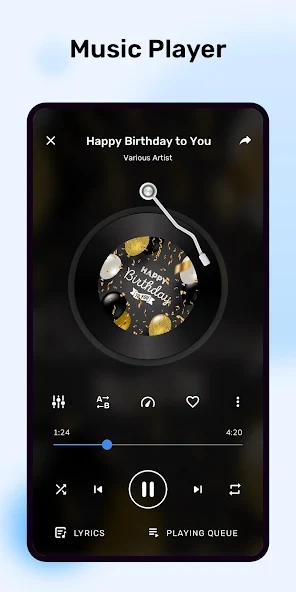
MX Player Pro is an Android media player developed for people who prefer watching videos stored on their phones rather than relying on online streaming services. Its playback system includes hardware acceleration, multi-core decoding, subtitle controls and screen gestures. These tools allow viewers to adjust playback according to their device and personal preferences.
The term MX Player Pro MOD APK is commonly used by third-party websites offering modified versions of the original application. However, these packages are not official releases from the developer. Their additional features, compatibility and security depend on the individual files being distributed. Understanding the difference between the official Pro edition and modified packages is important before choosing an installation source.
What Is MX Player Pro MOD APK?
MX Player Pro is a video playback application that helps Android users organize and watch media files saved in their device storage. It can identify available videos and display them in a library, making it easier to select a file without searching through individual folders every time. Users can also control playback directly from the viewing screen.
The official Pro edition is a separate, lightweight application focused on local video playback without advertisements. It does not include the same online entertainment services available in other MX Player offerings. Modified APK versions are distributed independently, so their claimed changes should not be confused with features officially provided by MX Media. You may be also check Bellara BLRX Injector APK
Key Features of MX Player Pro MOD APK
Hardware Acceleration
MX Player Pro MOD APK uses hardware decoding on supported devices to play compatible video files more efficiently. This can help reduce the workload on the device’s processor and provide smoother playback.
Multi-Core Decoding
The multi-core decoding feature allows compatible video files to use more than one processor core during software decoding. This can improve playback performance on devices that support it.
Subtitle Support
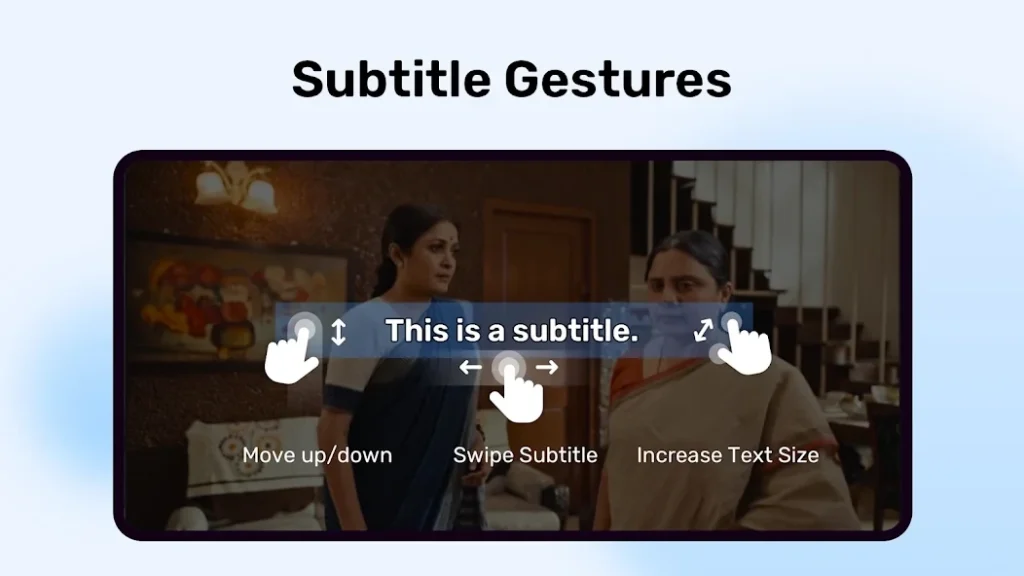
Users can load external subtitle files and adjust their timing, position and size. These controls make it easier to follow dialogue and correct subtitles that appear too early or too late.
Screen Gestures
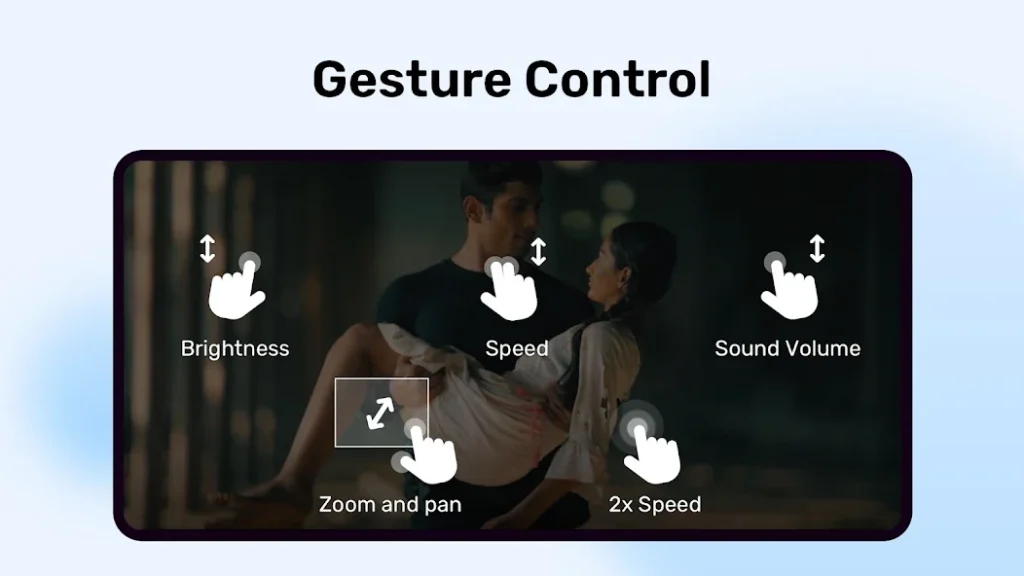
MX Player Pro offers touch gestures for controlling playback. Users can adjust screen brightness and volume or move forward and backward through a video without opening the full control menu.
Zoom and Pan
The zoom and pan controls let viewers enlarge the video and move around the displayed picture. This is useful when they want to focus on a particular part of the screen.
Ad-Free Playback
The official Pro edition is designed to provide an ad-free experience when watching locally stored videos. This allows users to enjoy their videos without regular advertising interruptions.
Video Playback and Subtitle Support
Video compatibility is an important part of any media player. MX Player Pro MOD APK offers hardware and software decoding options to handle different video files. Hardware decoding uses compatible device components, while software decoding relies more heavily on the processor. Users can switch between available decoder options when a particular video does not play correctly.
Subtitle management also gives viewers greater control over their watching experience. External subtitle files can be loaded alongside supported videos, and users can adjust subtitle timing if the displayed text appears before or after the dialogue. Text size and positioning can also be customised. However, playback results depend on the subtitle format, video encoding and device capabilities.
How to Download and Install MX Player Pro MOD APK
- Open Google Play Store on your Android device.
- Search for MX Player Pro.
- Check whether the listing is available in your region.
- Verify the developer and application information.
- Complete the purchase and installation if the listing is available.
- Open the application and provide the necessary media permissions.
Pros and Cons of MX Player Pro MOD APK
Pros
- Supports hardware acceleration on compatible devices.
- Includes multi-core decoding capabilities.
- Offers subtitle adjustment and synchronisation tools.
- Provides convenient brightness and volume gestures.
- The official Pro edition supports advertising-free local playback.
Cons
- Modified APK files have no guaranteed security.
- Unofficial versions may contain unwanted changes.
- Playback compatibility depends on device hardware and codecs.
- Some video files may require alternative decoding options.
- Modified packages may not receive reliable developer updates.
FAQs
What is MX Player Pro MOD APK?
MX Player Pro MOD APK is an unofficially modified version of the MX Player Pro video player. Its features may vary depending on the modification and source of the APK file.
Does MX Player Pro support different subtitle formats?
MX Player Pro supports external subtitle files in several formats. Users can also adjust subtitle timing, position and size for a more comfortable viewing experience.
Can MX Player Pro play videos offline?
Yes, MX Player Pro can play supported video files stored on your device. An internet connection is generally not required for watching locally saved videos.
Is MX Player Pro MOD APK safe to install?
Safety cannot be guaranteed because modified APK files come from unofficial sources. They may contain unwanted code or request unnecessary permissions, so users should be careful when installing them.
What is the difference between MX Player and MX Player Pro?
The main difference is the advertising experience. The official Pro edition is designed for ad-free local video playback, while the standard version may display advertisements. Available features can also differ by version and region.
Conclusion
For people who enjoy watching movies, videos, and other media on their Android devices, MX Player Pro provides a range of useful playback options. Its subtitle settings, video decoding technology, touch controls, and screen adjustment tools help make everyday viewing more convenient. Users can also manage playback according to their preferences without needing complicated settings.
MX Player Pro MOD APK may attract users looking for an alternative version, but it is important to consider where the file comes from. Modified applications are not verified by the original developer, so their actual functions, stability, and security can vary. Installing files from unreliable websites may also put personal information and device security at risk. Choosing the official application is a more dependable way to enjoy MX Player’s video playback features.APKsbrain
Mod features
Extras included in this package.
- Ad-free video playback
- Hardware acceleration
- Multi-core decoding
- Subtitle support
- Subtitle synchronization
- Brightness and volume gestures
- Zoom and pan controls
- Smooth video playback