
Game Nuke
Aneh Developer Malaysia Verified
Specifications
Table of contents
About this app
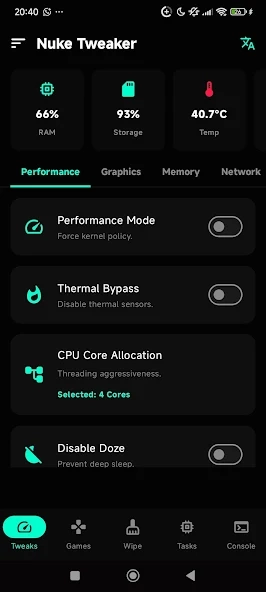
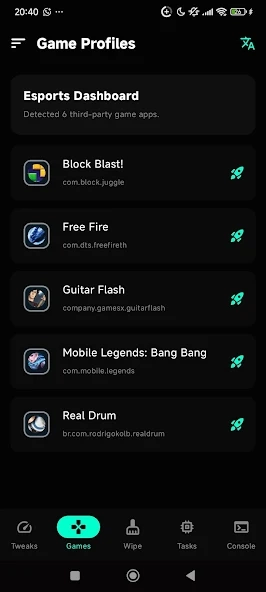
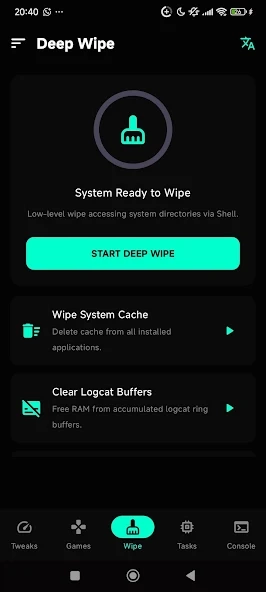
Game Nuke is an Android utility application developed to help users adjust certain device settings while playing mobile games. Instead of being a traditional game, it focuses on device controls, touch response, display comfort, and background process management. These tools allow users to explore different settings that may make their gaming sessions more comfortable, depending on their phone’s hardware and Android configuration.
The application is intended for Android users who want more control over their device while gaming. Its available tools include touch and pointer adjustments, memory management, display settings, and a floating booster panel. Game Nuke is available through Google Play and contains advertisements. It does not offer in-app purchases according to its store description.
What Is Game Nuke?
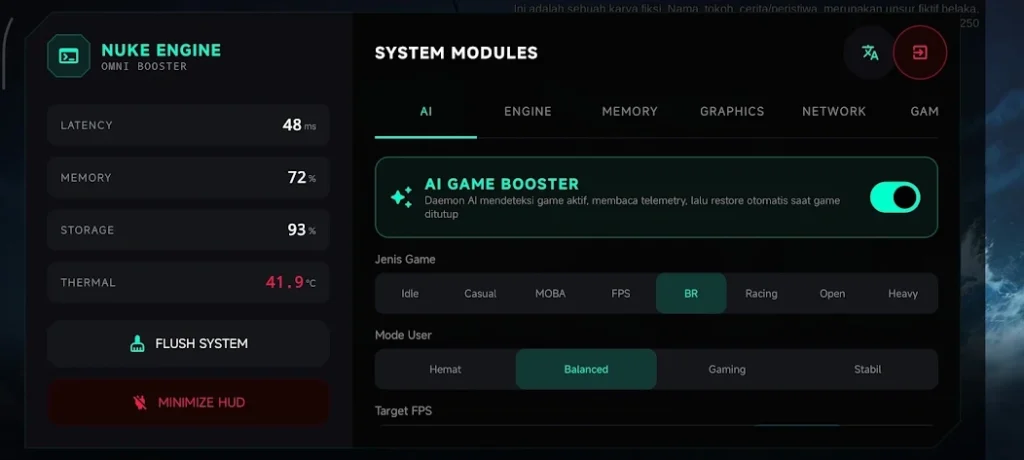
Game Nuke is a gaming utility rather than a standalone mobile game. Its main purpose is to bring several device-related adjustment options together in one application. Users can explore settings that affect touch response, pointer speed, display comfort, and background activity without treating the app as a replacement for their installed games.
The application also includes a floating panel for accessing selected functions more conveniently. Some tools operate according to the permissions granted and the capabilities of the Android device. Game does not claim to modify game servers, change game mechanics, or provide cheating functions such as auto-aim or auto-headshot. Its purpose is limited to device-side gaming adjustments.
Game Nuke Features
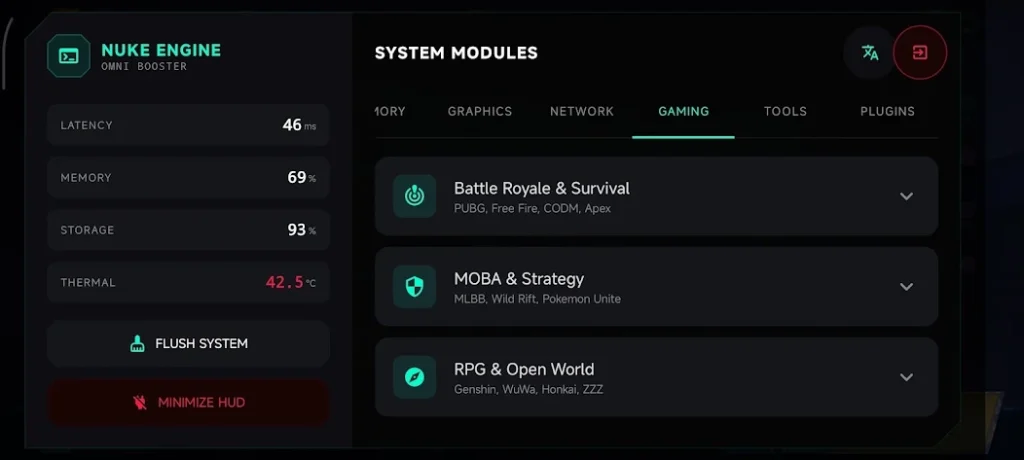
Gaming Optimization
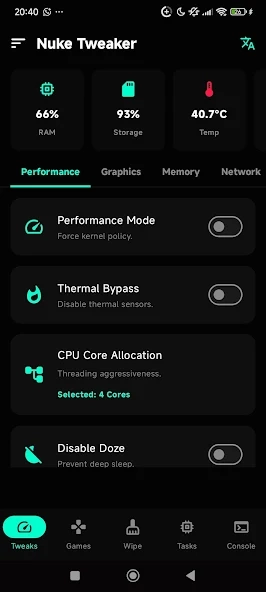
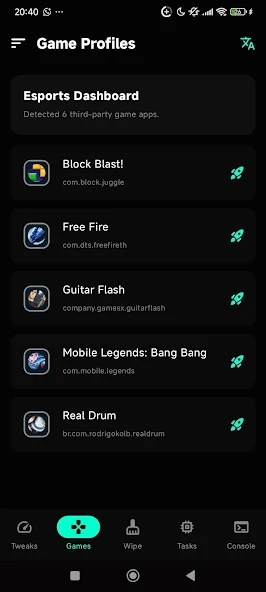
Game Nuke includes settings related to gaming comfort and device response. These options allow users to adjust selected device parameters before or during a gaming session. The actual results depend on the phone’s hardware, Android version, and available system permissions.
Touch and Pointer Adjustment
Touch and pointer settings help users explore different control-response options. Players can adjust available settings according to their preferences and the type of game they play. However, these adjustments should not be confused with guaranteed improvements in aiming accuracy or competitive performance.
Display Comfort
The display-related options focus on visual comfort and supported screen settings. Their availability depends on the device’s display capabilities and system configuration. Users should choose settings that remain comfortable and compatible with their phones.
Memory and Background Management
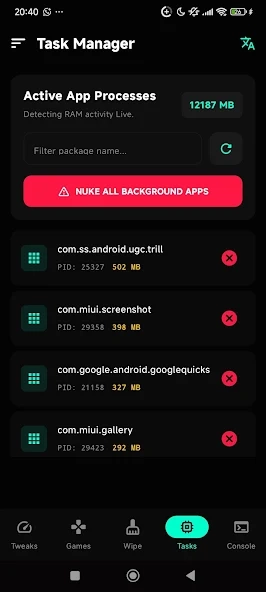
Game provides process and memory management options intended to help maintain device responsiveness. Background activity can affect how a phone behaves during demanding tasks, although closing processes does not guarantee higher FPS or eliminate lag.
Floating Booster
The floating booster provides a quick-access panel for selected functions. Instead of returning to the main application each time, users can access supported controls through the floating interface. This feature requires the relevant permission and may behave differently across Android devices.
Daemon and Engine Mode
The application also describes a daemon and engine mode for running certain local optimization functions. Their availability depends on device support, configuration, and permissions. Users should review any permission request before enabling an advanced function.
Game Nuke Compatibility
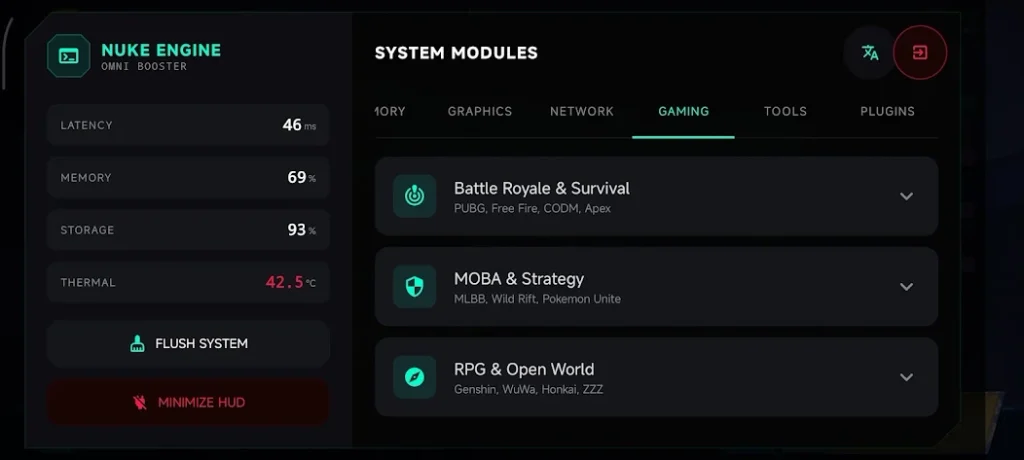
Game Nuke is listed as an Android application on Google Play. The store listing does not clearly specify a universal minimum Android version in its main description, so users should check the installation requirements shown for their individual device before downloading it.
Performance and feature availability may vary between phones. Hardware specifications, Android system settings, manufacturer restrictions, and granted permissions can all affect how the application operates. A feature available on one device may not work in exactly the same way on another.
How to Download and Install Game Nuke?
- Open the Google Play Store on your Android device.
- Search for Game Nuke Gaming Optimization.
- Check that the developer is listed as Aneh Developer Malaysia.
- Open the correct application page and review its details.
- Tap the Install button.
- Wait for the installation to finish.
- Open Game Nuke from your app drawer.
- Review the available tools and grant only the permissions required for the functions you want to use.
FAQs
What is Game Nuke used for?
Game Nuke is an Android utility application that provides device adjustment tools related to touch response, display settings, memory management, and gaming convenience.
Is Game Nuke a mobile game?
No, Game Nuke is not a traditional mobile game. It is a utility application designed to help users manage selected device settings while gaming.
Does Game Nuke increase FPS?
Game Nuke does not guarantee higher FPS. Actual gaming performance depends on your phone’s hardware, system configuration, and the game you are playing.
Is Game Nuke free to download?
Yes, Game Nuke is available to install through Google Play. Its listing states that the application contains advertisements but does not include in-app purchases.
How can I download Game Nuke safely?
You can download Game Nuke through its Google Play listing. Check the developer name and app details before installing, and avoid APK files from unknown websites.
Conclusion
Game Nuke is an Android gaming utility for users who want to explore device settings related to touch response, display comfort, memory management, and quick access to selected controls. Its floating booster and adjustment options may be useful for people who prefer having these tools in one place rather than navigating several device settings.
However, it is important to keep expectations realistic. Game Nuke cannot guarantee higher frame rates, lower ping, or better performance on every phone. Its functions depend on hardware support and Android permissions. Users interested in trying it can review the official Google Play listing, check the requested permissions, and decide whether its available tools suit their needs. At APKsbrain, we provide honest app reviews, technical utility breakdowns, and safe installation guides to help you make informed decisions while keeping your Android devices secure.
Mod features
Extras included in this package.
- Gaming Optimization Tools
- Touch Response Adjustment
- Pointer Speed Customization
- Display Comfort Settings
- Memory and Background Management
- Floating Booster Panel
- Daemon and Engine Mode
- Local Device Optimization
- Google AdMob Advertisements
- No In-App Purchases