
MovieBox – Video Downloader
Lodify Apps Verified
Specifications
Table of contents
About this app
MovieBox – Video Downloader is an Android application developed by Lodify Apps for downloading and managing video files on mobile devices. Its main purpose is to help users save videos they are authorised to download, organise their saved media, and watch files later without depending on an active internet connection. Instead of using separate applications for downloading and playing saved videos, MovieBox – Video Downloader combines these functions within one mobile application.
The app is particularly relevant for people who regularly save their own recordings, public-domain videos, royalty-free media, or other content they have permission to store. Once a video has been downloaded successfully, users can access the saved file through the device’s media storage and play it offline. MovieBox – Video Downloader also advertises background downloads, HD video support, and an integrated file manager, making media organisation an important part of its functionality.
It is important to understand that MovieBox – Video Downloader is presented as a general-purpose video downloader and media player, not as a platform that supplies a library of copyrighted films or television programmes. Its usefulness therefore depends on the type of content users want to save and whether the source permits downloading. Readers should also distinguish this particular application from other unrelated products that use the MovieBox name.
MovieBox Video Downloader Features – Discovering Download Options and HD Video Support
MovieBox combines several media-related tools that focus on downloading, playback, and organising saved video files. Its features are intended to make it easier to manage personal video collections without repeatedly switching between different applications. you may be also check Brawl Stars
HD Video Downloader
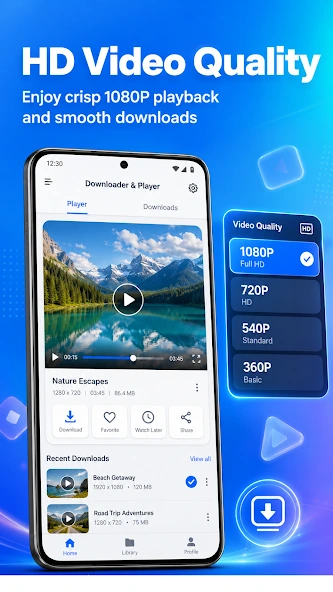
The application advertises video downloading in high quality. This feature is useful when users want to preserve the visual quality of recordings or other authorised videos for later viewing. The actual resolution and available quality options can depend on the original video source and the downloading process. Therefore, HD support should not be understood as a guarantee that every video can be saved in the same resolution.
Background Downloading
Background downloading allows a download to continue while users move to another application or perform other tasks on their phones. This can be helpful when saving larger video files because users do not necessarily need to keep the downloader open on the screen throughout the process. Actual background behaviour may depend on Android battery restrictions, available storage, and device settings.
Built-In File Manager
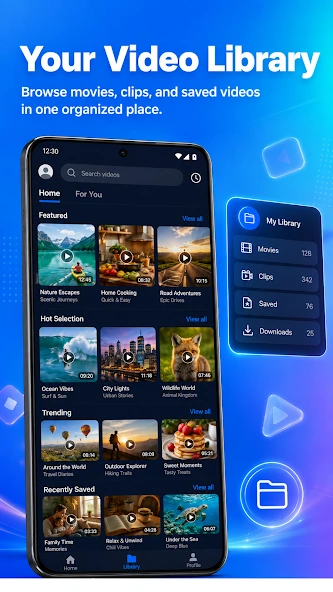
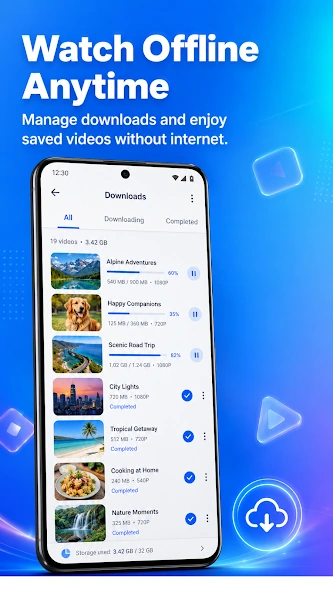
MovieBox – Video Downloader includes a file management feature for organising downloaded media. Users can arrange their saved videos into folders and locate files more conveniently. This becomes particularly useful when a device contains several recordings, clips, or other downloaded videos. A structured media library can make it easier to identify a particular file without searching through the entire phone storage.
Multiple Video Format Support
The developer’s Google Play description lists several supported formats, including MP4, MKV, AVI, MOV, and WEBM. This range is useful because video files are not always saved in the same format. A player that supports different file types can reduce the need to install separate playback applications, although compatibility can still depend on the individual file’s encoding and audio or video codecs.
Fast and Lightweight Operation
The app is described by its developer as a fast and lightweight tool. This is intended to make downloading and playback convenient on compatible Android devices. However, actual download speeds depend on internet connectivity, source availability, file size, and device performance. Users should not assume that every download will complete at the same speed.
Dark Mode and User Interface
MovieBox – Video Downloader advertises a modern interface with a dark mode option. Dark themes can make an application more comfortable to use in dim environments and provide a different visual appearance from traditional light interfaces. The practical value of this feature depends on how clearly the controls, file information, and playback options are presented.
Offline Video Playback and File Management – Saving and Organizing Your Favorite Videos
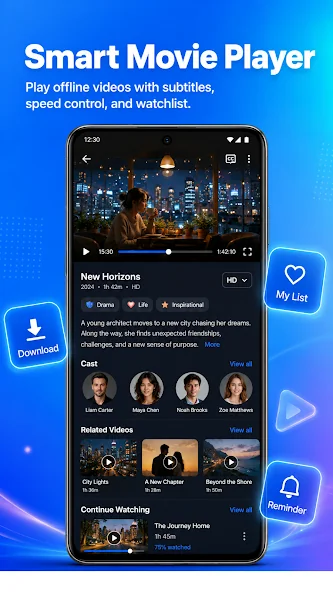
One of the main reasons to use a video downloader is the ability to access saved content without a continuous internet connection. MovieBox – Video Downloader is designed around this purpose by combining video downloading with an integrated playback experience. After an authorised video has been downloaded successfully, users can open the saved file and watch it later, including when mobile data or Wi-Fi is unavailable.
Offline playback can be useful in several everyday situations. For example, someone may save a personal recording before travelling, keep an educational video for later reference, or store royalty-free footage for viewing during a journey. The important requirement is that the content must first be downloaded successfully and stored on the device.
Organising Downloaded Videos
Managing saved files becomes increasingly important as a personal media collection grows. MovieBox – Video Downloader advertises a built-in file manager that allows users to sort downloads into folders. Instead of keeping every video in one large list, users can organise files according to their own preferences, such as recordings, educational material, or other media categories.
Playing Different Video Formats
The advertised support for MP4, MKV, AVI, MOV, and WEBM gives users flexibility when opening different types of video files. These formats are commonly used for digital video, but a format name alone does not guarantee that every file will play correctly. Some files may use codecs or encoding settings that are not supported by a particular device or player.
Accessing Media Without Internet Connectivity
Once a video is stored locally, watching that file generally does not require an active internet connection. This can help users avoid repeated streaming or downloading when they want to view the same content again. However, downloading new videos and accessing online sources still requires an internet connection.
Users should also remember that offline access does not remove copyright restrictions. Saving a video for personal viewing does not automatically give permission to reproduce, distribute, or share copyrighted material.
MovieBox User Interface and Compatibility – Exploring Navigation and Supported Video Formats
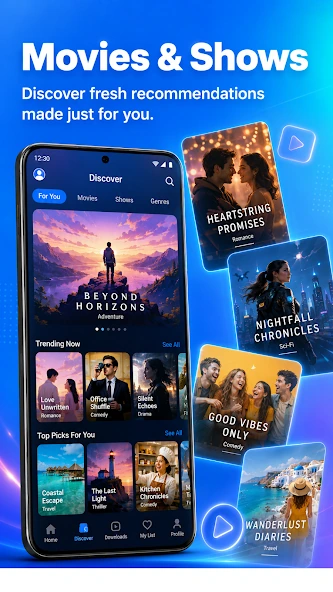
A video downloader needs a practical interface because users regularly move between downloading, managing, and playing media files. MovieBox – Video Downloader presents itself as a combined downloader and video player, with its main functions focused on saving videos, accessing stored media, and organizing downloads. Its advertised dark mode also gives users an alternative visual setting.
The built-in file manager is an important part of this arrangement. It provides a way to locate saved videos and organise them into folders rather than treating downloading as the application’s only purpose. The integrated player is intended to handle supported media files, including MP4, MKV, AVI, MOV, and WEBM. Nevertheless, individual file compatibility may vary depending on encoding and device capabilities.
Android Compatibility
MovieBox – Video Downloader is listed as an Android application on Google Play. Users should check the current Play Store listing from their own device to confirm compatibility before installation. The available installation option can depend on the Android version, hardware requirements, and regional availability.
How to Download and Install MovieBox?
- Open the Google Play Store on an Android device.
- Search for MovieBox – Video Downloader.
- Check that the developer name matches Lodify Apps.
- Open the application listing and review its details.
- Select the Install button if the application is available and compatible.
- Wait for the installation to finish.
- Open MovieBox – Video Downloader and review the permissions and available settings before using it.
Privacy and Permission Considerations
The Google Play Data Safety section contains developer-provided information about data handling. The listing includes disclosures about possible data sharing and indicates that data is not encrypted and cannot be deleted. These disclosures deserve attention before installation. Users should review the current privacy information and consider whether they are comfortable with the application’s stated practices.
FAQs
Can MovieBox – Video Downloader download videos in the background?
Yes, the app listing advertises background downloading. This feature allows downloads to continue while you use other apps, depending on your device settings and available storage.
Which video formats are supported by MovieBox?
MovieBox lists support for several common video formats, including MP4, MKV, AVI, MOV, and WEBM. This gives users different options for managing and playing saved video files.
Can I watch downloaded videos without an internet connection?
Yes, videos saved successfully on your device can be played offline. You can open your downloaded files through the app’s playback features without needing an active internet connection.
Does MovieBox include a built-in file manager?
Yes, the app listing mentions a built-in file manager. It helps users access and organize downloaded video files from within the application.
Can I change the appearance of MovieBox while using it?
MovieBox lists a dark mode option that changes the app’s appearance. This gives users an alternative viewing style when navigating the application.
Conclusion
MovieBox – Video Downloader brings video downloading, file organisation, and media playback together in one Android application. Its advertised features include HD downloading, background downloads, a built-in file manager, offline playback, dark mode, and support for several common video formats. These functions make the application relevant to users who want a more organised way to manage authorised video files on their mobile devices.
Before installing it, readers should check the correct developer listing, review the application’s privacy disclosures, and confirm device compatibility. It is also important to understand that downloading permission depends on the content source and applicable copyright rules. MovieBox – Video Downloader may be worth exploring for users who need a general-purpose downloader and player, provided its features and data practices meet their requirements. At APKsbrain, we always recommend verifying the developer name (Lodify Apps) on the official Google Play Store, respecting copyright rules, and reviewing app permissions carefully before installation.
Mod features
Extras included in this package.
- HD Video Downloads: Save authorized videos in high quality.
- Background Downloading: Continue downloads while using other apps.
- Built-in File Manager: Organize downloaded videos into folders.
- Multiple Video Formats: Support for MP4, MKV, AVI, MOV and WEBM.
- Offline Playback: Watch saved videos without an internet connection.
- Dark Mode: Switch to a darker interface for comfortable viewing.
- No Account Required: Use the app without creating an account.
- Lightweight Performance: Designed for smooth operation and reduced battery usage.