Smart Tools
Smart Tools co Verified
Specifications
Table of contents
About this app
Smart Tools is an Android utility application developed by Smart Tools co. that brings several practical measurement and everyday tools together in one package. Instead of installing separate applications for measuring length, checking direction, estimating distance, or monitoring sound levels, users can access different utilities through a single app. Its main purpose is to make common measuring and checking tasks easier with the help of an Android smartphone.
The application combines six tool categories containing 15 individual tools. These include a ruler, protractor, level, distance and height measurement tools, compass, metal detector, sound meter, vibration meter, flashlight, magnifier, mirror, and unit converter. Some functions use the phone’s built-in sensors and camera, so the available features and their results can depend on the device. Smart Tools is particularly relevant to people who regularly perform basic measurements, household tasks, DIY projects, or outdoor activities.
What Is Smart Tools and How Does the App Work?
Smart Tools is a multi-purpose measurement and utility application that uses different hardware components of an Android device to perform practical tasks. Depending on the selected tool, it may use the touchscreen, camera, compass sensor, GPS, microphone, or other supported hardware. For example, the ruler uses the phone screen for basic measurements, while the compass relies on the device’s magnetic sensor to indicate direction.
The application organises its utilities into separate groups, allowing users to select the function they need. A person measuring an object can open the ruler, while someone checking the angle of a surface can use the level or protractor. Distance and height tools provide estimates using the supported measurement functions. Results should be treated as practical estimates rather than professional surveying or laboratory measurements. Accuracy can vary with device hardware, calibration, positioning, and the surrounding environment.
Key Features and Benefits of the Smart Tools App
Smart Ruler Pro
This toolset includes functions for measuring length, angles, slopes, levels, and thread-related measurements. It can help users check the approximate dimensions of smaller objects or examine the angle of a surface. Results depend on correct positioning and the available screen calibration.
Smart Measure Pro
The measurement category includes tools for estimating distance, height, width, and area. These functions can be useful when users need a quick estimate of an object or space. They should not replace professional measuring equipment where exact dimensions are essential.
Smart Compass Pro
This category combines compass, metal detector, and GPS-related functions. The compass helps users identify direction, while GPS-related information can support location awareness. The metal detector function depends on the phone’s magnetic sensor and should not be treated as a professional detection instrument.
Sound Meter Pro
The sound meter helps users check surrounding sound levels, while the vibration meter provides information about detected vibrations. These tools can be useful for general awareness, although smartphone measurements are not a substitute for calibrated professional equipment.
Smart Light Pro
This category includes a flashlight, magnifier, and mirror. The flashlight can provide additional light when needed, while the magnifier helps users view small details. The mirror function uses the device’s camera where supported.
Unit Converter
The converter helps users work with different measurement units. It can be useful when comparing dimensions or converting values without opening a separate conversion application. One important benefit is that the app brings multiple utilities into one package. However, not every function works on every Android phone. The availability of individual tools depends on the device’s sensors and hardware capabilities.
Smart Tools App Interface and Available Utility Tools
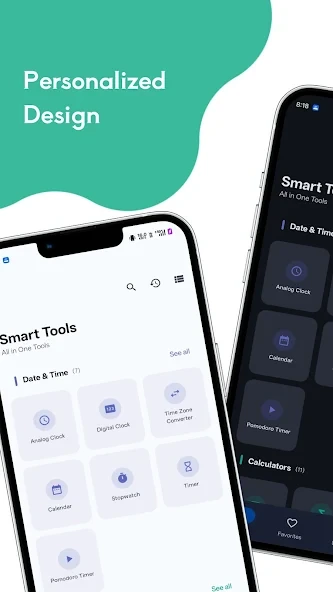
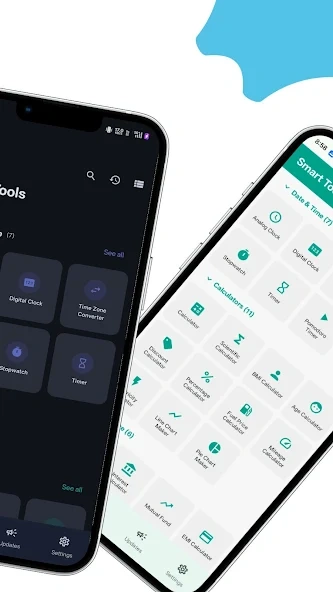
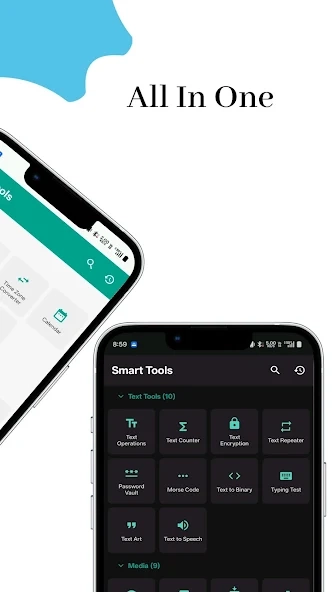
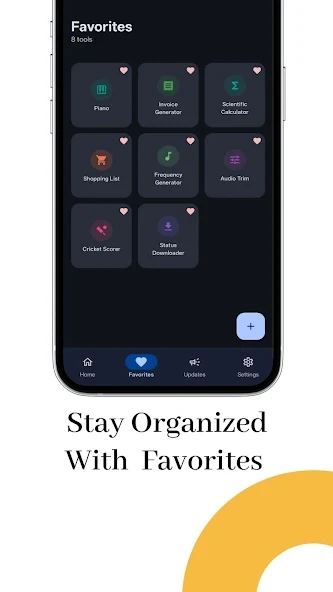
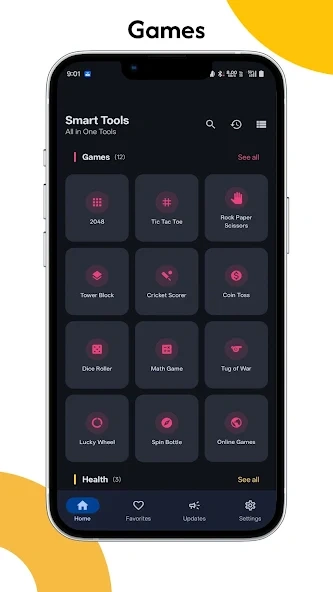
The Smart Tools interface is organised around its different tool categories. Rather than presenting every function as a separate application, it groups related utilities together. This arrangement helps users identify the type of tool they need before opening its individual function.
The measurement tools are useful for different situations. For example, users can select the ruler for checking an object’s length, the protractor for examining an angle, or the level for checking whether a surface is properly aligned. Other categories focus on direction, distance, sound, light, and unit conversion.
The application also depends on the capabilities of the smartphone. A device without a supported compass sensor cannot use the compass-dependent functions correctly. Camera-based and sensor-based measurements can also produce different results across devices. Users should follow the instructions displayed within each tool and check its calibration before relying on a measurement.
How to Download, Install, and Use the Smart Tools App
Download and Installation Steps
- Open the Google Play Store on your Android smartphone.
- Search for Smart Tools by Smart Tools co.
- Check the developer name and application details before downloading.
- Review the price and device compatibility information displayed in your region.
- Complete the purchase if required and select Install.
- Wait for the installation process to finish.
- Open the application and follow its initial setup instructions.
How to Use Smart Tools
After opening the application, select the category that matches your task. Choose the ruler for length measurements, the compass for direction, or the sound meter for checking surrounding noise levels. Follow the instructions provided by the selected tool and allow the necessary device permissions when they are required for its function.
Some tools need specific hardware, particularly the compass-related functions. If a tool does not work properly, check whether your smartphone supports the required sensor and whether the device is calibrated. For better results, use the measurement instructions carefully and avoid treating estimates as professional measurements.
Installation and Security Considerations
Downloading the application through Google Play is the recommended option because it helps users identify the publisher and access the official listing. Avoid downloading installation files from unfamiliar websites, especially when the source cannot be verified. Unofficial APK files may be modified or outdated and can create unnecessary security risks.
FAQs
What tools are included in the Smart Tools app?
Smart Tools includes measurement and utility functions such as a ruler, protractor, level, compass, distance measurement, sound meter, flashlight, magnifier, mirror, and unit converter. The available functions depend on the application version and device compatibility.
Does Smart Tools require special sensors to work?
Some Smart Tools functions use built-in smartphone hardware, including the magnetic sensor, camera, and microphone. If your device does not support a required sensor, certain tools may not work correctly.
Can I use Smart Tools without an internet connection?
Yes, the developer describes the application as supporting offline use after its initial setup. However, certain information or services that depend on online data may not be available without an internet connection.
Is Smart Tools suitable for professional measurements?
Smart Tools can help with everyday measurements and basic checking tasks. However, smartphone sensors may produce approximate results, so professional measuring instruments should be used when precise measurements are essential.
Is Smart Tools a free Android application?
The original Smart Tools application by Smart Tools co. is listed as a paid app on Google Play. Its purchase price may vary depending on your country and Google Play region.
Conclusion
Smart Tools brings several measurement and utility functions together in one Android application. Its combination of ruler, protractor, compass, distance measurement, sound meter, flashlight, magnifier, and unit conversion tools can be helpful for people who regularly perform basic household, DIY, or everyday measurement tasks. Having these functions in one package can also reduce the need to switch between multiple standalone utility applications.
However, users should consider its paid status and device compatibility before choosing it. Some features depend on sensors that may not be available on every smartphone, and measurement results should not replace professional equipment when accuracy is critical. The developer also recommends Smart Tools 2 for new users. Overall, Smart Tools is worth considering for Android users who want a collection of practical measurement tools in a single application.APKsbrain
Mod features
Extras included in this package.
- All-in-One Utility Tools
- Digital Ruler
- Protractor and Level
- Distance Measurement
- Compass Tool
- Metal Detector
- Sound Meter
- Magnifier and Mirror
- Unit Converter
- Flashlight Utility